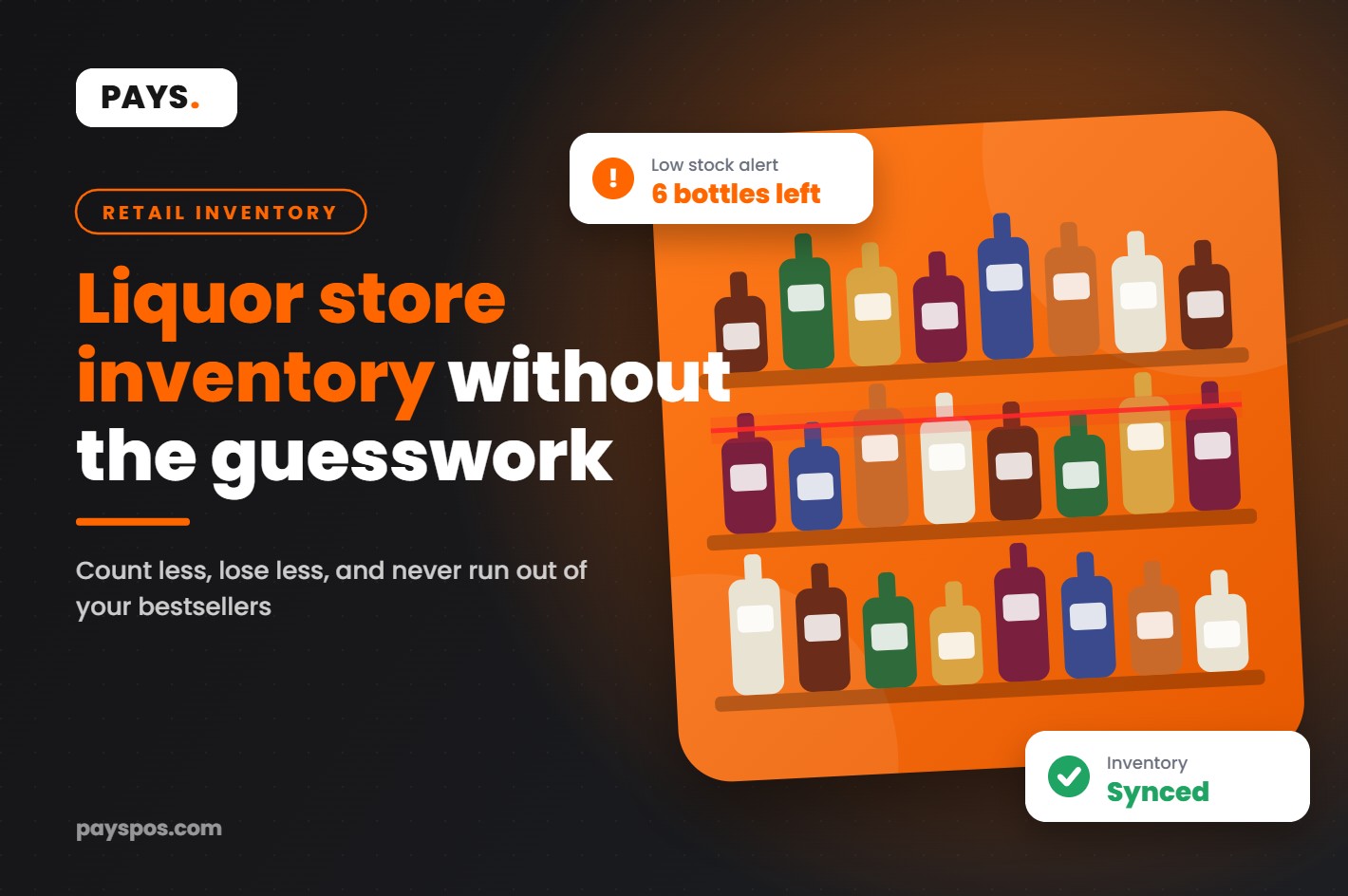
It’s Friday at 6 p.m. A regular walks in for his usual bottle of bourbon. You know you ordered a case last week. The shelf is empty. The back room is empty. The system says you have four.
So where did they go?
Every owner has a version of this story. Liquor store inventory is some of the most valuable stock in retail, packed into small, easy-to-carry bottles, sold in high volume, with dozens of near-identical sizes and vintages. That combination makes it easy to lose track and expensive when you do.
This guide covers nine practical ways to get your liquor store inventory under control: what to count, how often, which numbers to watch and how the right point of sale system does most of the heavy lifting for you.
Why Liquor Store Inventory Is So Hard to Manage
Most retail stores have problems with stock. Liquor stores have all of those problems at once.
- Huge SKU counts. The same spirit can come in 50ml, 375ml, 750ml, 1L and 1.75L sizes, plus gift packs and seasonal labels.
- High value per unit. One missing bottle of premium tequila can wipe out the profit on a dozen cases of beer.
- Theft risk. Bottles are small, valuable and easy to resell.
- Breakage. Glass breaks, and broken bottles often never make it into the system.
- Distributor complexity. Different vendors, delivery days, minimums and case sizes.
- Regulation. Age checks on every sale and record-keeping rules that vary by state.
Put all of that together and it’s easy to see why so many owners feel like their liquor store inventory numbers are more of an estimate than a fact.
What Shrink Really Costs Retailers
Shrink is the gap between what your records say you have and what’s actually on the shelf. It comes from theft by customers, theft by employees, receiving mistakes, pricing errors, breakage and vendor fraud.
According to the National Retail Federation’s 2023 security survey, the average shrink rate across retailers hit 1.6% in fiscal 2022, up from 1.4% the year before. That added up to roughly $112.1 billion in losses across US retail.
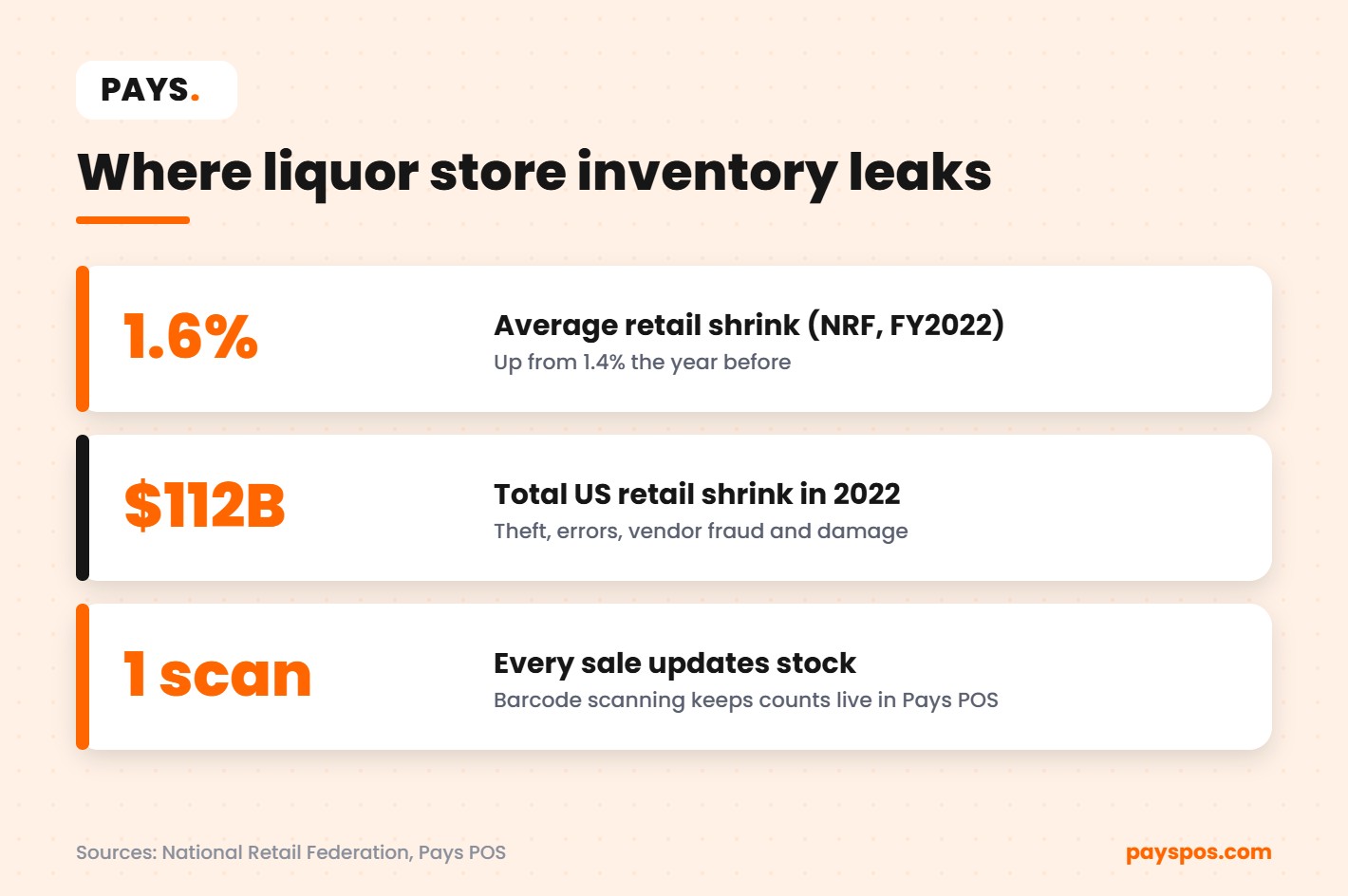
1.6% may not sound like much. But on a store doing $1.5 million a year in sales, it’s $24,000 walking out the door. For many independent stores, that’s a meaningful share of annual profit.
The good news: shrink is one of the few costs you can directly reduce. Better liquor store inventory control is how you do it.
1. Get Every Product Into Your POS With a Barcode
Good liquor store inventory control starts here. If a product isn’t in your system with its correct barcode, every count and report after that is wrong.
When products are scanned at the register, the sale is recorded against the exact item, size and price. No guessing whether the cashier rang up the 750ml or the 1L. No “misc liquor” button that hides what actually sold.
A good retail POS should let you:
- Scan the manufacturer barcode to add or find items quickly
- Track each size as its own item with its own cost and price
- Group items by category, brand and vendor for reporting
- Handle cases, packs and singles of the same product
Pays POS supports barcode scanning and full inventory tracking for liquor stores, and our team builds your product catalog with you during setup so you’re not keying in thousands of items alone.
2. Set Low Stock Alerts on Your Bestsellers
Running out of a bestseller is a hidden kind of liquor store inventory loss. It doesn’t show up as shrink, but the customer who came in for that bottle may leave and buy it somewhere else.
Low stock alerts fix this. You set a minimum level for each product, and the system flags it when stock drops below that number. Instead of discovering an empty shelf on a Friday night, you see the alert on Tuesday and reorder in time.
Start with your top 50 sellers. These are the bottles that drive most of your revenue, and they’re the ones customers notice first when they’re missing. As your liquor store inventory data builds up, adjust the minimums based on real sales speed.
3. Build Purchase Orders From Real Sales Data
Many stores still handle liquor store inventory ordering by walking the aisles and guessing. That leads to two problems: too much of what doesn’t sell and not enough of what does.
When your liquor store inventory lives in the POS, you can create purchase orders based on what actually sold. Look at the last four to eight weeks of sales for each item, compare against current stock and order the difference.
This keeps cash from being tied up in slow movers. A case of a niche liqueur sitting in the back room for nine months is money you can’t use for anything else.
Track purchase orders in the system too. When a delivery arrives, check it against the order. Shortages and wrong items are much easier to resolve with the distributor when you catch them at the door.
4. Receive Deliveries Carefully
A lot of shrink starts at the back door, not the front. A driver drops off 19 cases instead of 20. A case of 750ml is swapped for 375ml. Nobody checks, and the invoice gets paid in full.
Build a simple receiving routine:
- Count cases against the invoice before the driver leaves.
- Spot check sizes and labels on high-value items.
- Note broken bottles on the invoice and get a signature.
- Receive the purchase order in your POS the same day so stock levels update.
This takes ten minutes per delivery and protects the accuracy of your entire liquor store inventory.
5. Use Cycle Counts Instead of One Giant Annual Count
A full liquor store inventory count once a year is exhausting, usually done after hours, and only tells you about a problem long after it started.
Cycle counting is better. You count a small section of the store on a regular schedule, so every area gets counted several times a year without shutting down the store.
- Weekly: Your highest-value and highest-theft items, like premium spirits and small bottles near the register.
- Monthly: Your top sellers by volume.
- Quarterly: Everything else.
When a count doesn’t match the system, investigate right away. Was it a receiving error? A void at the register? A breakage that wasn’t logged? The faster you look, the easier it is to find the cause.
6. Log Breakage and Damage Every Time
Broken bottles are part of every liquor store inventory. Not logging them is what turns them into a mystery.
Give staff a simple rule: every broken, expired or damaged item gets recorded in the POS with a reason before the end of the shift. That way, when you review your liquor store inventory reports, you can separate breakage from theft and see if a particular shelf, cooler or delivery process is causing more damage than it should.
7. Tighten Controls at the Register
Employee theft is uncomfortable to talk about, but it’s a real part of retail shrink. Most of it happens at the register: voids, no-sales, unauthorized discounts and “sweethearting,” where a friend gets charged for a cheaper item.
Your POS should give each employee their own login and keep a record of every void, refund, discount and drawer opening. Review those reports weekly. You’re not looking to accuse anyone. You’re looking for patterns that stand out, like one shift with far more voids than the others.
Clear policies help too. Require a manager approval for voids and refunds above a set amount, and keep high-value items behind the counter or in locked cases.
8. Make Age Verification Part of Every Sale
Age checks aren’t technically an inventory issue, but they protect your liquor license, which protects everything else.
A POS with built-in age verification and ID scanning prompts the cashier when an age-restricted item is scanned, so checks don’t depend on memory during a busy rush. Pays POS includes age verification and ID scanning as part of its liquor store setup.
9. Manage Multiple Locations From One System
If you run more than one store, liquor store inventory gets even harder. One location runs out of a popular bottle while another has three cases collecting dust.
Stock transfers solve this. Move product between locations in the system, so both stores’ counts stay correct, and use combined reports to see which store sells what. Pays POS supports stock transfers between locations along with real-time reporting across all your stores.
Liquor Store Inventory Checklist
Use this checklist to see where your store stands today. Every item you can tick off removes a source of loss.
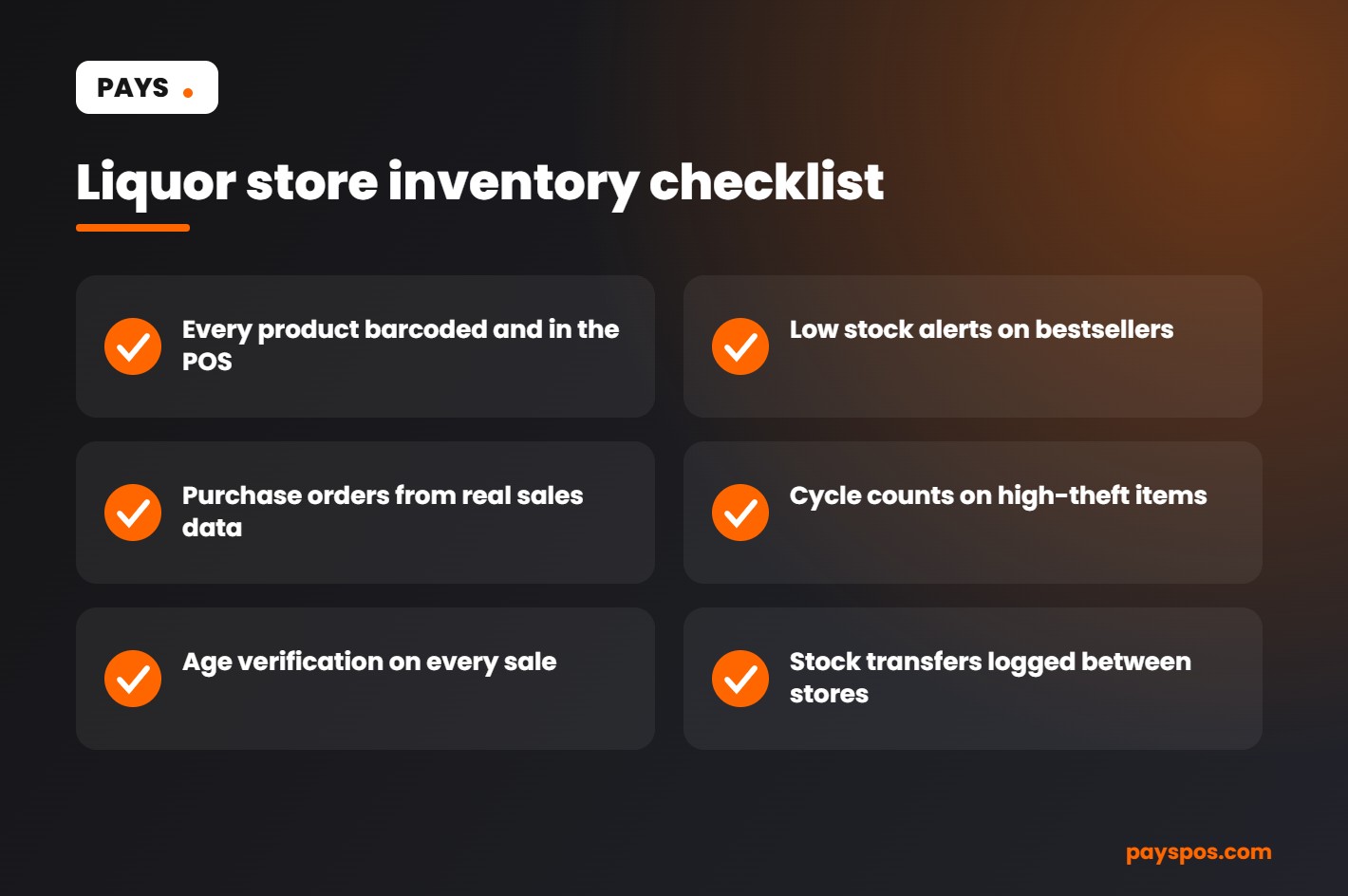
- Every product is in the POS with a barcode and correct size
- Low stock alerts are set on your top sellers
- Purchase orders are created from sales data, not guesses
- Deliveries are counted and received the same day
- High-value items are cycle counted weekly
- Breakage is logged with a reason every time
- Voids, refunds and discounts are reviewed weekly
- Age verification is built into checkout
- Stock transfers between stores are recorded in the system
The Numbers to Watch Every Week
You don’t need a finance degree to manage liquor store inventory well. You need to watch a handful of numbers consistently.
- Shrink rate: The difference between expected and counted stock, as a percentage of sales.
- Inventory turnover: How many times you sell through your average stock in a year. Higher usually means less cash sitting on shelves.
- Dead stock: Items that haven’t sold in 90 days or more.
- Out-of-stock rate: How often bestsellers hit zero.
- Gross margin by category: Spirits, wine, beer, mixers and snacks all behave differently.
With real-time reporting, each of these takes seconds to check. Make it a weekly habit, the same day each week, and you’ll start spotting problems while they’re still small.
What About Dead Stock?
Every liquor store inventory has it: the flavored vodka that was popular two summers ago, the gift pack left over from last December, the wine a rep talked you into.
Dead stock ties up cash and shelf space. Once your liquor store inventory data shows an item hasn’t moved in 90 days, decide what to do. Discount it, bundle it with a popular item, return it to the distributor if possible or simply stop reordering it. The point is to make a decision instead of letting it sit.
How the Right POS Changes the Job
Ten years ago, many liquor store owners managed inventory with clipboards and spreadsheets. It worked, sort of, but it took hours and was always out of date.
A modern retail POS turns liquor store inventory into something live. Every scan at the register updates stock. Low stock alerts tell you what to order. Purchase orders, receiving, transfers and counts all live in one place, and the reports are there whenever you want them.
With Pays POS, you also get:
- Hardware from trusted brands like Dejavoo, PAX and Valor
- A product catalog built with you, and staff trained before go-live
- Live in under a week, with no long-term contract
- A dual pricing program to offset card processing costs
- USA-based support when you need it
Seasonal Planning for Liquor Store Inventory
Sales in a liquor store are anything but flat. The weeks around Thanksgiving, Christmas and New Year’s Eve can bring a big share of annual revenue. Summer holidays, the big game, graduation season and local events all create their own spikes.
Seasonal peaks are where liquor store inventory planning pays off the most. Run out of champagne on December 30 and that sale is gone for good. Overbuy gift packs and you’re discounting them in February.
Here’s a simple approach that works for most stores:
- Pull last year’s sales for the same weeks, by item and category.
- Adjust for this year’s trends. Which categories are growing? Which are fading?
- Talk to your distributors early. Popular holiday items can sell out at the wholesale level too.
- Raise low stock alert levels on seasonal bestsellers a few weeks before the peak.
- Review after the season. What sold out? What’s left? Write it down for next year.
With real-time reporting, last year’s numbers are a few clicks away instead of buried in a box of paper invoices.
Training Staff to Protect Your Liquor Store Inventory
The best system in the world won’t help if the people using it skip steps. Most inventory errors come from small habits: ringing up two different bottles as one, forgetting to log a broken bottle, stocking a delivery before receiving it in the system.
Make training part of onboarding, and keep it simple:
- Always scan, never key in. Scanning records the exact product. Typing in a price or using a general button doesn’t.
- Every broken bottle gets logged. No exceptions, no matter how busy the shift.
- Receive before you stock. Deliveries go into the POS before they go on the shelf.
- Check ID every time the system asks. It protects the license and the job.
- Flag anything strange. An empty box behind a shelf or a missing case should be reported, not ignored.
When staff understand why these steps matter, they follow them more consistently. Share the shrink number with your team now and then. People take liquor store inventory more seriously when they see the dollars behind it.
Small Store, Big Results: A Realistic Example
Imagine a single-location store doing about $1.2 million a year. The owner suspects losses but has never measured them. After moving to a POS with barcode scanning and starting weekly cycle counts on premium spirits, a few patterns show up within the first two months.
One distributor has been short-shipping a case every few deliveries. A cooler door that doesn’t close properly is causing more breakage than expected. And one late shift has far more voids than any other.
None of these were visible before. Each one is easy to fix once it’s on the screen. That’s the real value of good liquor store inventory management: it turns vague worries into specific, solvable problems.
Frequently Asked Questions
How often should a liquor store count inventory?
Most stores do best with cycle counts: high-value items weekly, top sellers monthly and everything else quarterly. Many also do one full count a year for accounting.
What is a normal shrink rate for retail?
The NRF reported an average of 1.6% across US retail in fiscal 2022. Your own rate depends on your store, location and controls. Tracking it consistently matters more than any single benchmark.
How do I reduce theft in a liquor store?
Keep high-value bottles behind the counter or in locked cases, use cameras, give each employee their own POS login and review voids and refunds weekly. Regular cycle counts help you spot problems early.
What is the best way to manage liquor store inventory?
Use a POS with barcode scanning, low stock alerts, purchase orders and real-time reports, so every sale and delivery updates stock automatically.
Can one POS handle multiple liquor stores?
Yes. Look for stock transfers and combined reporting. Pays POS supports both.
Take Control of Your Shelves
Better liquor store inventory management isn’t about working harder. It’s about having accurate numbers and simple routines that catch problems early.
See how Pays POS for liquor stores handles barcode scanning, inventory and age verification, or talk to our team about getting set up in under a week.