
A guest orders a $60 dinner for two, pays with a rewards card and leaves a nice tip. Great night, right?
Then the monthly statement arrives. Somewhere between that card tap and your bank account, a slice of that $60 disappeared. Not to food cost. Not to labor. To fees.
Restaurant processing fees are one of the biggest costs most owners never really look at. They’re spread across thousands of small transactions, buried in long statements and described in language that seems designed to confuse. But they add up to real money every month.
This guide explains how restaurant processing fees work, why they’ve grown, how to read your statement and ten practical ways to keep more of every sale.
What Are Restaurant Processing Fees?
Every time a guest pays by card, several companies take a small cut before the money reaches you:
- The card-issuing bank (the bank that gave the guest their card) charges an interchange fee. This is usually the largest piece.
- The card network (Visa, Mastercard, Discover, American Express) charges assessment fees.
- Your payment processor adds its own markup for handling the transaction.
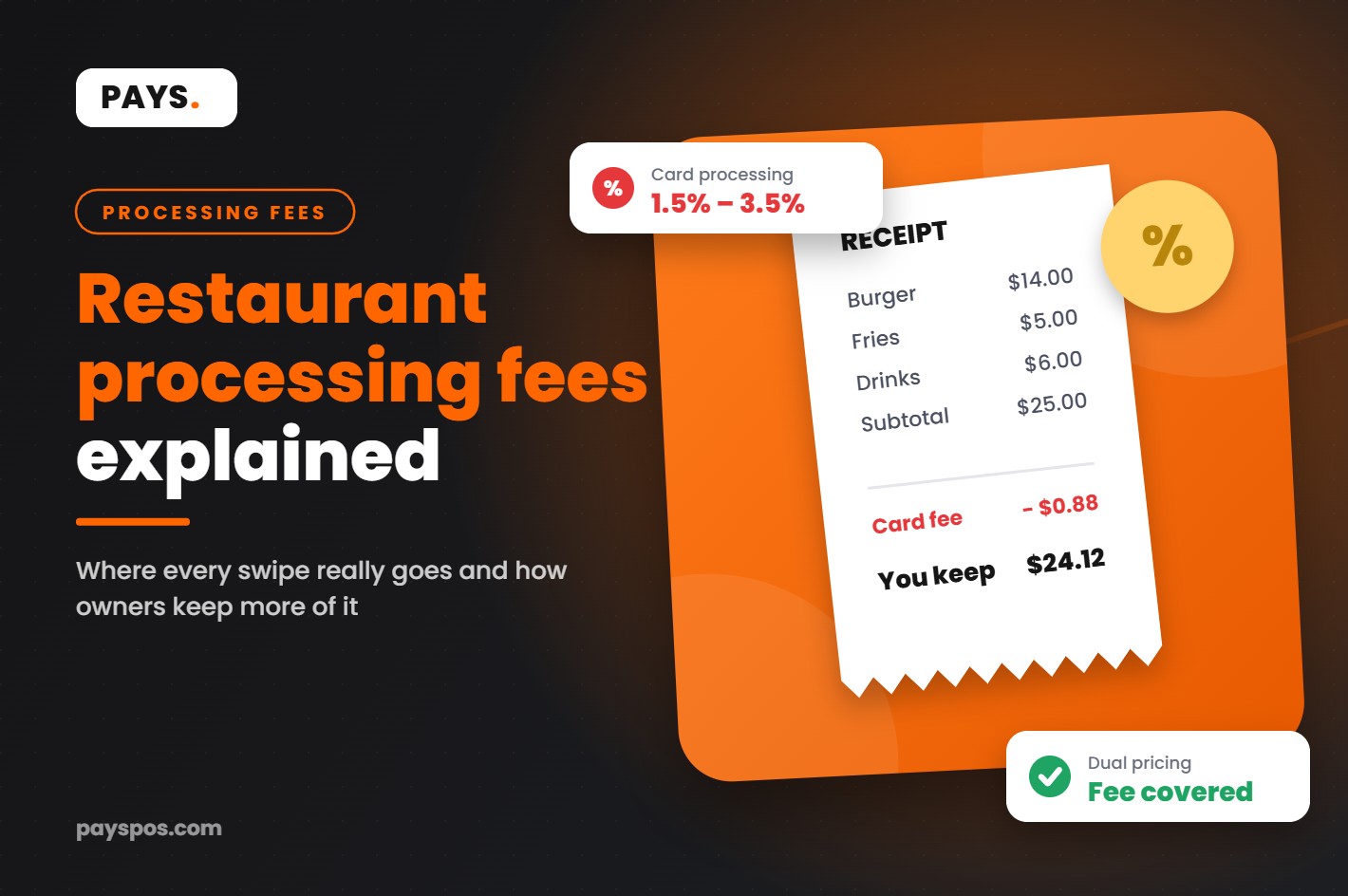
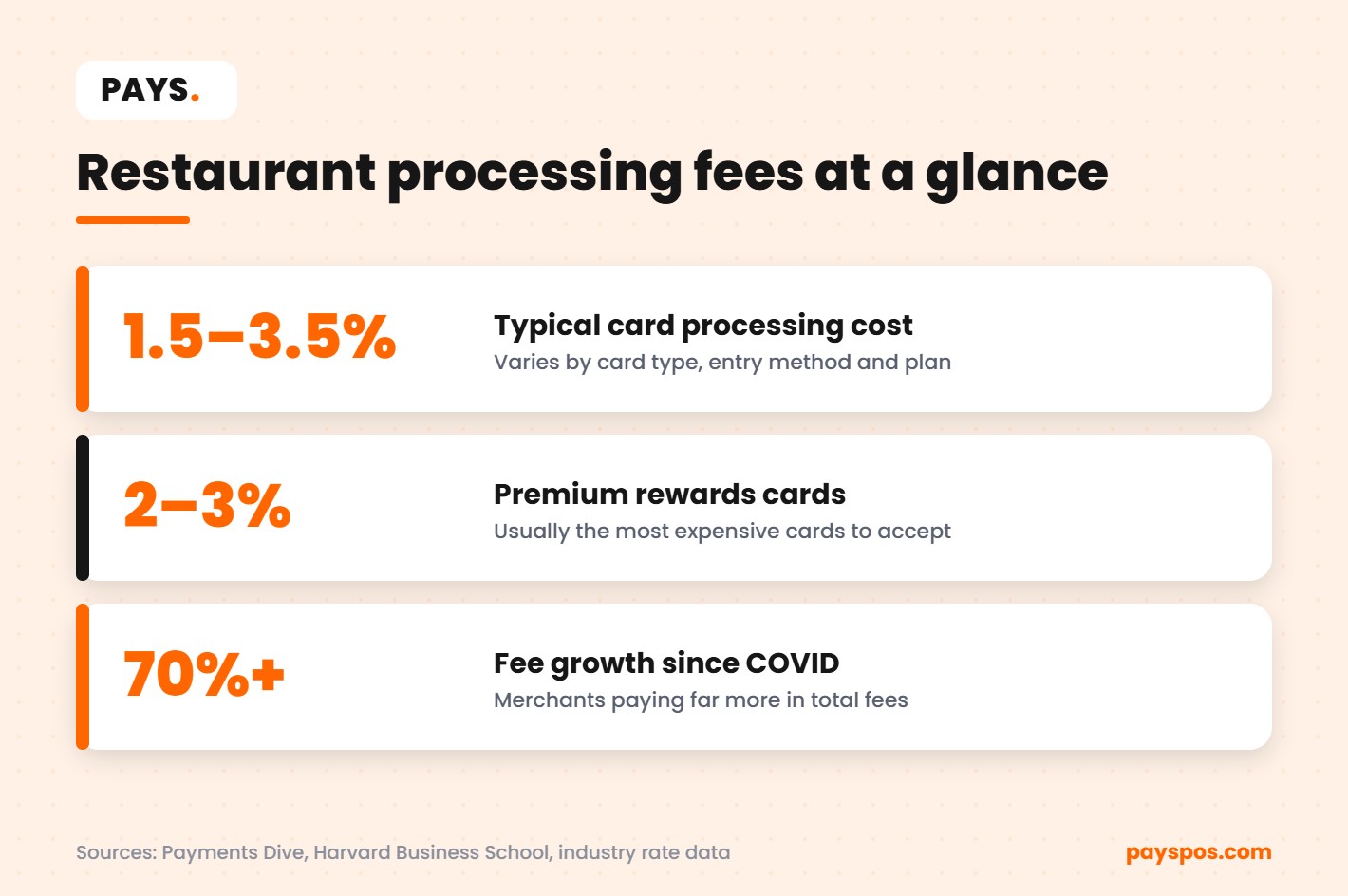
Together, these make up your restaurant processing fees. For most restaurants they land somewhere between 1.5% and 3.5% of card sales, depending on card type, how the card is accepted and the pricing plan you’re on.
Why Restaurant Processing Fees Feel Higher Than Ever
If it feels like you’re paying more than you used to, you probably are.
Since the pandemic, card and contactless payments have become the default for most guests. Cash use has dropped, so a larger share of every dollar now carries a fee. Industry reporting from Payments Dive has noted that total card fees paid by US merchants have risen sharply in recent years, with some estimates showing growth of more than 70% since before COVID.
At the same time, premium rewards cards have become more popular. Those points and cash-back perks have to be paid for somewhere, and much of the cost lands on merchants through higher interchange. Premium cards often cost merchants around 2% to 3% per transaction.
Research from Harvard Business School, in a paper titled Who Pays for Payments?, estimated that card fees drive a large transfer of money from merchants and cash users to rewards cardholders, on the order of tens of billions of dollars a year.
For restaurants, where profit margins are often in the single digits, restaurant processing fees can be one of the largest controllable costs on the P&L.
How Much Are You Actually Paying?
Let’s run the numbers on a typical full-service restaurant:
- Annual sales: $1,200,000
- Share paid by card: 90%
- Card sales: $1,080,000
- Average effective rate: 3%
That’s $32,400 a year in restaurant processing fees. For a restaurant running a 5% net margin on $1.2 million, total profit is about $60,000. Fees are taking an amount equal to more than half of the profit.
Put another way, cutting your effective rate by just one percentage point would add more than $10,000 back to the bottom line every year.
How to Read Your Processing Statement
Most owners skip the statement because it’s confusing, yet it’s where restaurant processing fees are spelled out. Here’s what to look for:
- Total card volume: How much you processed in card sales this month.
- Total fees: Every fee, added together. Some statements split these across several pages.
- Effective rate: Total fees divided by total card volume. This is the single most useful number on the page.
- Monthly and annual fees: Statement fees, PCI fees, gateway fees, terminal rental and so on.
- Pricing model: Flat rate, tiered or interchange-plus. Each one behaves differently.
Calculate your effective rate every month. If it creeps up without a clear reason, ask your processor why.
The Three Common Pricing Models
Flat Rate
One percentage plus a small per-transaction fee for every card. Simple to understand, but often more expensive for restaurants with higher volumes.
Tiered Pricing
Transactions are sorted into tiers such as qualified, mid-qualified and non-qualified, each with a different rate. The problem is that the processor decides which tier each card falls into, and many transactions end up in the more expensive tiers.
Interchange-Plus
You pay the actual interchange cost plus a fixed markup. It’s the most transparent model and often the most cost-effective for established restaurants, because you can see exactly what the processor is charging.
10 Ways to Lower Restaurant Processing Fees
1. Know Your Effective Rate
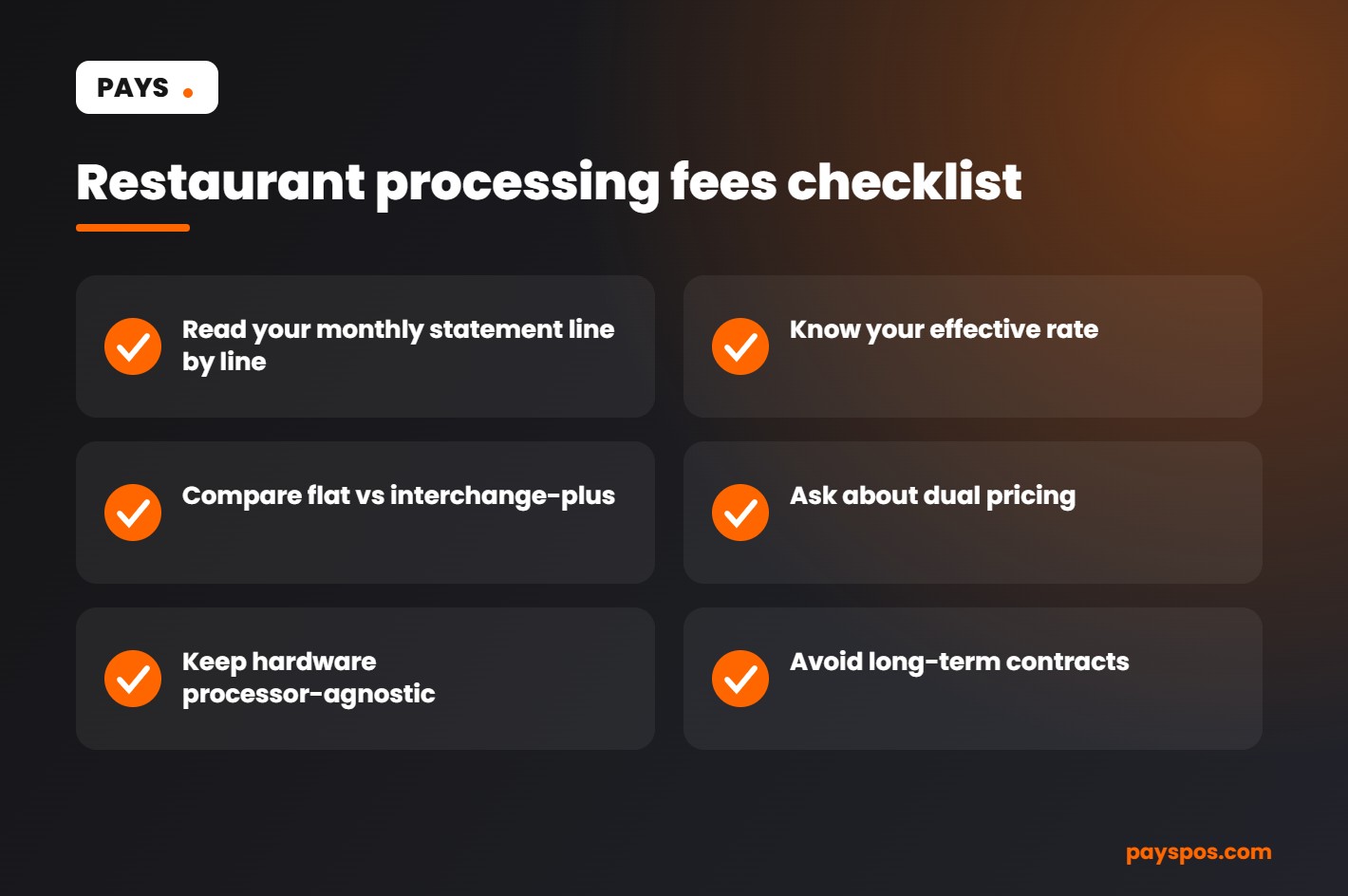
You can’t lower restaurant processing fees you don’t measure. Calculate your effective rate today and track it monthly. It’s the baseline for every other decision on this list.
2. Use a Dual Pricing Program
Dual pricing shows two prices: a cash price and a card price. Guests choose how to pay, and the card price covers the cost of accepting the card. Done correctly and in line with card brand rules and local law, it can offset most or all of your restaurant processing fees.
Pays offers Cash Discount Pro, a dual pricing program built into the POS, so both prices appear clearly on menus, screens and receipts.
3. Get Off Tiered Pricing
If your statement shows qualified and non-qualified rates, you’re on tiered pricing. Ask about interchange-plus or a dual pricing program instead.
4. Avoid Long-Term Contracts
Many processors lock restaurants into multi-year agreements with early termination fees. That makes it expensive to leave even when a better option appears. Look for a provider with no long-term contract. Pays doesn’t require one.
5. Don’t Get Locked Into One Processor
Some POS systems only work with their own payment processing. If rates go up, your only choice is to replace your entire system. A processor-agnostic POS lets you change processing without changing the software and hardware your staff already knows.
6. Process Cards in Person Where Possible
Card-present transactions, with a chip insert or a tap, are generally cheaper and less risky than keyed-in card numbers. Avoid manually typing card numbers unless you have to.
7. Batch Out Every Day
Settling your transactions at the end of every day helps keep them at the expected rate. Delayed batching can sometimes trigger higher fees.
8. Watch for Junk Fees
Look for charges you don’t recognize: annual fees, compliance fees, statement fees, “regulatory” fees. Some are standard. Others are padding. Ask your provider to explain every line.
9. Reduce Chargebacks
Every chargeback costs you the sale plus a fee on top of your normal restaurant processing fees. Clear receipts, signed tabs for large parties, and good records of online orders all help you win disputes or avoid them.
10. Use Modern, Secure Hardware
Up-to-date EMV and contactless terminals are faster for guests and help keep transactions in the right category. Pays works with trusted hardware from Dejavoo, PAX and Valor.
Restaurant Processing Fees Checklist
Here’s a quick checklist you can run through this week:
- Pull your last three statements and calculate your effective rate
- Identify your pricing model
- List every monthly and annual fee
- Check your contract for an end date and termination fees
- Ask whether your POS works with other processors
- Look into a compliant dual pricing program
Common Myths About Restaurant Processing Fees
“All processors charge the same.” They don’t. The interchange portion is set by the card networks, but processor markups, monthly fees and pricing models vary a lot.
“Guests will hate dual pricing.” Many guests are already familiar with cash and card prices from gas stations. Clear signage and friendly staff make the difference. Most guests simply choose how they want to pay.
“Switching is too much work.” With the right provider, it isn’t. Pays builds your menu, trains your staff and gets most restaurants live in under a week.
“Processing fees are just a cost of doing business.” They’re a cost, yes. But like rent or food cost, they can be managed, negotiated and reduced.
What Dual Pricing Looks Like in Practice
Let’s say a burger is listed at $15.00 cash and $15.45 card. A guest paying with a card pays $15.45, which covers the fee. A guest paying cash pays $15.00. Both prices are shown clearly on the menu, the POS screen and the receipt.
For the restaurant, the card fee is largely covered instead of coming out of margin. Over a year, on the $1.08 million in card sales from our earlier example, that’s tens of thousands of dollars in restaurant processing fees that no longer come out of profit.
Before you start, check the rules that apply in your state, and make sure your signage and receipts are clear. A good provider will walk you through it.
How Restaurant Processing Fees Affect Tips and Staff
There’s another side to restaurant processing fees that owners don’t always think about: tips. When a guest adds a tip on a card, the fee is usually charged on the full amount, tip included.
On a busy night with high check averages, that means you may be paying fees on thousands of dollars in tips that go straight to staff. Some restaurants account for this in their tip policy. Whatever you decide, be transparent with your team and follow your state’s labor rules, which vary.
A clear view of your fees in the POS reports makes these conversations easier, because you’re working from real numbers instead of guesses.
Online Orders and Delivery Add Their Own Costs
Card-not-present transactions, like online orders, usually carry higher rates than in-person taps because the risk of fraud is higher. As more guests order ahead for pickup or delivery, that shift can push your overall restaurant processing fees up without you noticing.
That doesn’t mean you should avoid online ordering. It’s one of the best ways to grow sales. It does mean you should look at your effective rate by channel. If online orders are growing fast, factor the higher cost into your online menu pricing, just like you would for packaging.
Third-party delivery apps are a separate story. Their commissions are often far higher than card fees, so it’s worth comparing those numbers side by side. A POS that integrates delivery apps makes those reports much easier to pull.
Interchange, Explained in Plain English
Interchange is the biggest piece of restaurant processing fees, so it’s worth understanding how it works, even at a basic level.
The card networks publish long tables of interchange rates. The rate on any one transaction depends on several things:
- Card type: Debit cards usually cost less than credit cards. Basic credit cards cost less than premium rewards cards. Business and corporate cards often cost more still.
- How the card was accepted: Tapped or inserted in person usually costs less than keyed in or used online.
- Merchant category: Restaurants have their own category codes, and the rates attached to them matter.
- Transaction size: Some rates include a fixed per-transaction amount, which weighs more heavily on small tickets like a coffee or a slice.
You can’t negotiate interchange directly. What you can control is the processor’s markup on top of it, the pricing model you’re on, how you accept cards and whether you use a program like dual pricing to offset the cost.
Small Tickets, Big Percentages
Quick service restaurants, cafes and bakeries face a specific problem: small average tickets. When a guest pays $4.50 for a coffee by card, a per-transaction fee of even a few cents is a much larger percentage of that sale than it would be on an $80 dinner.
If your average ticket is under $10, check how your restaurant processing fees are structured. A plan with a high fixed per-transaction charge can hurt more than one with a slightly higher percentage. Run your real numbers both ways before choosing.
A Simple Monthly Routine
You don’t need to become a payments expert. Fifteen minutes a month is enough to stay in control of restaurant processing fees:
- Download the statement as soon as it arrives.
- Write down three numbers: card volume, total fees and effective rate.
- Compare with last month and the same month last year.
- Circle anything new. A fee you haven’t seen before is a question for your provider.
- Check your POS reports for card mix, average ticket and refunds.
Over a few months, you’ll have a clear picture of what normal looks like for your restaurant. That makes it easy to spot when something changes and to know exactly what you’re comparing when you talk to another provider.
Questions to Ask Any Payments Provider
Whether you’re reviewing your current setup or comparing options, these questions cut through the sales pitch:
- What pricing model will I be on, and can I see an example statement?
- What are all the monthly, annual and one-time fees?
- Is there a contract? How long, and what does it cost to leave?
- Do I have to rent or buy hardware, and does it work with other processors?
- Do you offer a compliant dual pricing program?
- Who do I call when something goes wrong, and where is support based?
Pays answers these upfront: no long-term contract, processor-agnostic hardware from Dejavoo, PAX and Valor, Cash Discount Pro built in and USA-based support.
When to Review Your Setup
Restaurant processing fees aren’t something you fix once and forget. Review your setup:
- Every month, when you check your effective rate
- Whenever your processor announces a change in pricing
- When your contract is coming up for renewal
- When you add a new revenue channel like online ordering or delivery
- When you open a second location
Each of these is a natural point to ask whether you’re still on the best option for your business.
Frequently Asked Questions
What is a normal credit card processing fee for restaurants?
Most restaurants pay between 1.5% and 3.5% of card sales, depending on card mix, pricing model and how cards are accepted.
Can restaurants pass processing fees to customers?
Many restaurants use dual pricing or cash discount programs. Rules vary by state and card brand, so use a provider that sets it up correctly.
Why are premium cards more expensive to accept?
Rewards cards carry higher interchange rates, which help fund the points and perks cardholders earn. Merchants often pay around 2% to 3% on those cards.
How do I find my effective rate?
Divide the total fees on your monthly statement by your total card volume. Multiply by 100 to get a percentage.
Does switching POS mean switching processors?
Not with a processor-agnostic system. Pays lets you keep flexibility over who processes your payments.
How can a small restaurant lower restaurant processing fees quickly?
Start by calculating your effective rate, then look at dual pricing and your contract terms. Those three steps usually reveal the fastest savings.
Are restaurant processing fees tax deductible?
In general, card processing fees are treated as an ordinary business expense. Your accountant can confirm how they apply to your specific situation.
Do restaurant processing fees apply to refunds?
Often, yes. Many processors don’t return the original fee when you refund a card sale, and some charge an extra fee on top. Accurate orders and fewer refunds help keep this cost down.
The Bottom Line on Restaurant Processing Fees
Every restaurant owner works hard for thin margins. Food cost and labor get most of the attention, and they should. But fees deserve a place on that list too, because they come off the top of every card sale, every day, whether the night was busy or slow.
The owners who manage them well aren’t payments experts. They simply know their numbers, ask direct questions and choose partners who are open about pricing.
Keep More of What You Earn
Restaurant processing fees will always exist, but you don’t have to accept whatever you’re charged. Know your effective rate, avoid lock-in and look at dual pricing.
Learn how Cash Discount Pro works, explore our restaurant POS or talk to our team to see what you could save.