A portable POS system lets you take orders and payments wherever your customers are: a festival booth, a farmers market, a hotel patio, a stadium aisle or a catering job. Done right, it is the same system you use in the store, just in your hand. Done wrong, it is a slow card reader with a weak signal and a long line. Here is how to choose and run one.
Where a portable POS system pays off
- Patios and large dining rooms: servers order and take payment at the table.
- Line busting: take orders from guests waiting in line before they reach the counter.
- Events and festivals: sell from a booth or walk the crowd.
- Farmers markets and pop-ups: a full POS without a fixed counter.
- Catering and private events: take deposits, extras and tips on site.
- Bars: close tabs at the rail without walking to a terminal.
What to look for
A real POS, not just a card reader
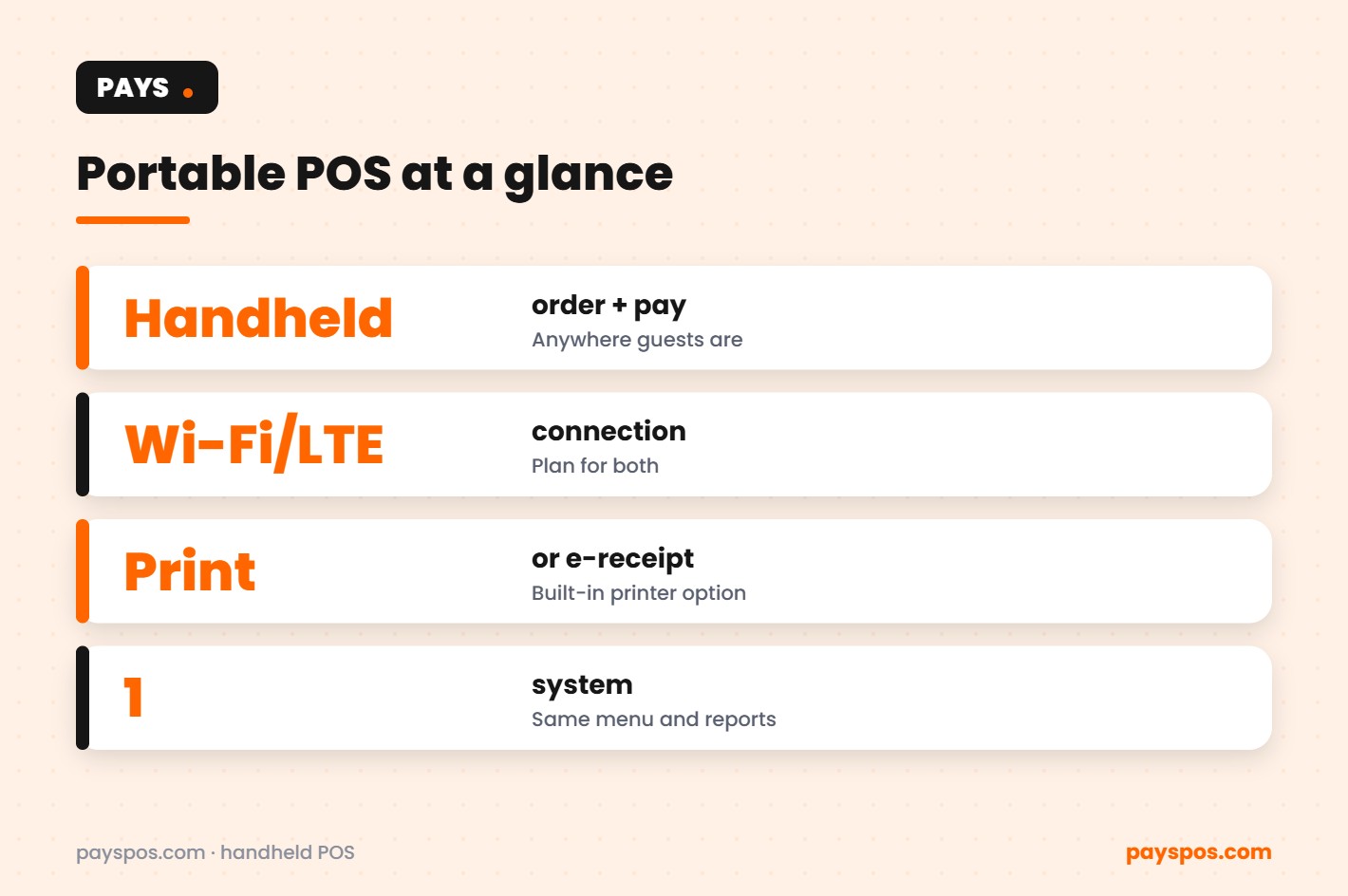
A card reader takes payments. A portable POS system takes the order too: menu, modifiers, tabs, tips, receipts and reporting, all synced with the rest of your business. PAYS handhelds run the same menu and reports as your counter.
Connectivity you can count on
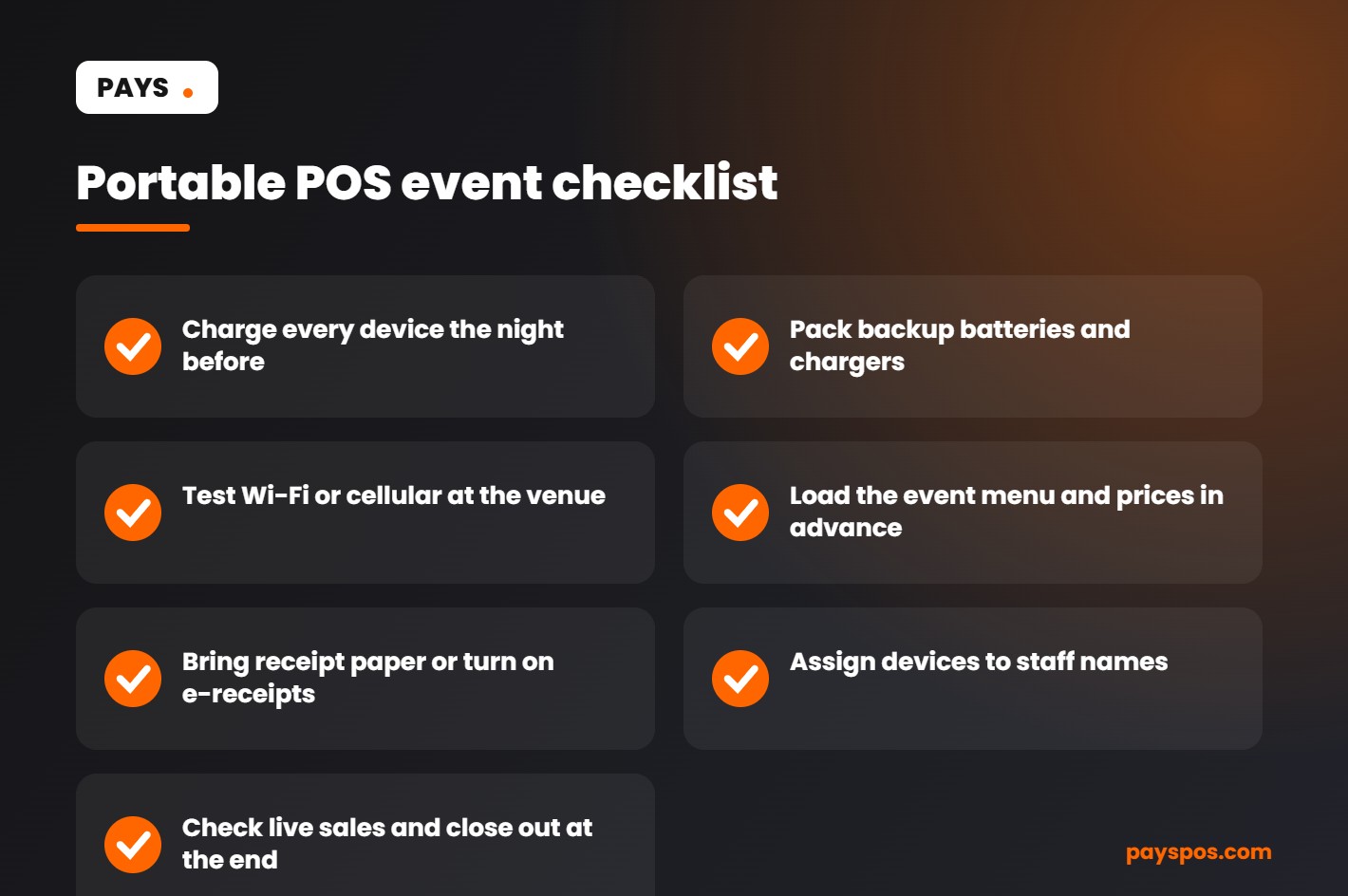
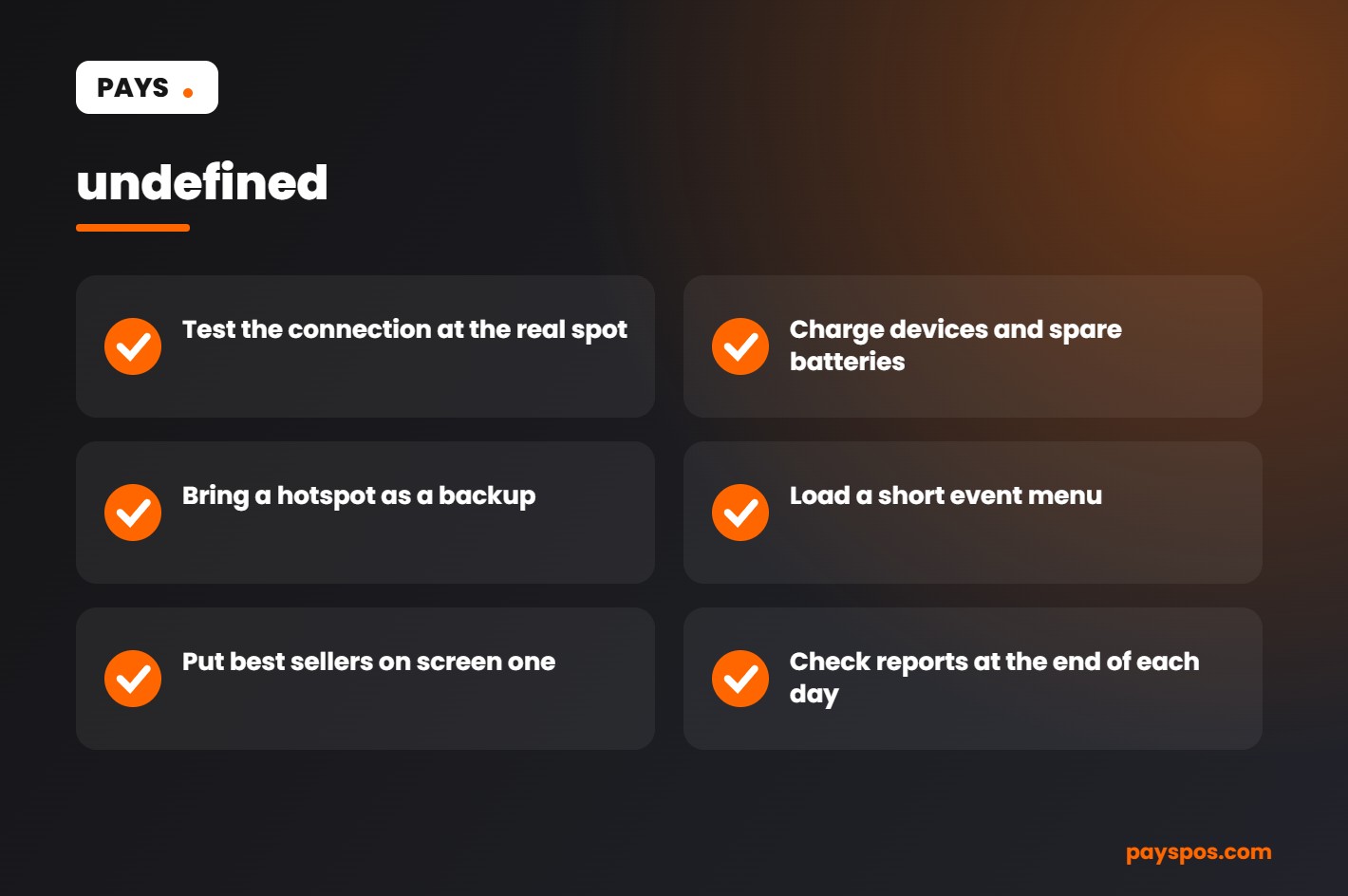
Outdoor venues and crowded events strain Wi-Fi. Plan for a reliable connection: venue Wi-Fi, a dedicated hotspot, or devices with cellular data. Test at the venue before the event, not when the gates open.
Battery for the whole shift
Choose devices that last a full service and bring spare batteries or chargers for long events.
Receipts
Some handhelds have a built-in printer, which is useful for restaurants and catering. At markets, email or text receipts are often enough.
Tap, chip, swipe and phone wallets
Guests expect to tap a phone. Make sure the device takes contactless, chip and swipe.
Real-time sales
See what each device and staff member sold during the event, and close out with a clean report.
| Setting | Device setup | Connectivity | Receipts |
|---|---|---|---|
| Restaurant patio | Handhelds per server section | Restaurant Wi-Fi | Printed at the table |
| Festival booth | 2–3 handhelds plus a counter device | Hotspot or cellular | Text or email |
| Farmers market | One handheld | Cellular | Text or email |
| Catering job | Handheld with printer | Venue Wi-Fi or hotspot | Printed |
| Line busting | Handheld walking the line | Store Wi-Fi | Printed at pickup |
Fees on the go
Events often mean many small transactions, so card fees add up. With dual pricing, the menu shows a cash price and a card price so card payments cover their own cost. PAYS offers this as Cash Discount Pro; check your state’s rules first. PAYS is also processor-agnostic, so you can use the processor you already have.
Running an event with a portable POS system
- Build an event menu. Fewer items, clear prices, fast buttons.
- Charge and label devices. One per staff member, named in the system.
- Test the connection on site. Run a test sale before opening.
- Set up tipping if you use it, and decide how tips are shared.
- Watch live sales. Move staff to the busiest spot.
- Close out together. Reconcile each device and export the report.
PAYS handhelds run on Dejavoo, PAX and Valor hardware. We build your menu, train your staff and get you live in under a week, with no long-term contract. See the devices on our handheld POS system page, and read how handhelds work day to day in our guide to handheld POS for restaurants.
Line busting: the in-store use most owners overlook
You do not need to leave the building to get value from handhelds. During a lunch rush, a staff member with a handheld can walk the queue, take orders and payments, and send them straight to the kitchen. By the time guests reach the counter, their food is already being made. The line feels shorter, guests who might have walked away stay, and the counter handles pickups instead of every single order.
Line busting works best when:
- The menu is simple enough to order quickly while standing.
- Orders go straight to the kitchen display or printer.
- Guests get a clear order number or name for pickup.
- The same staff member is not also needed at the register.
Patio and tableside service
On a big patio, the walk back to a fixed terminal can take longer than the order itself. With handhelds, servers take the order at the table, send it to the kitchen instantly, and close the check where the guest is sitting. Cards never leave the guest’s sight, turns get faster, and servers can cover more tables without rushing.
Security and accountability on the move
- Assign each device to a staff member so every sale and refund is tracked by name.
- Use role permissions so only managers can issue refunds or large discounts.
- Count devices out and back in at every event or shift.
- Keep devices updated and locked when not in use.
Choosing how many devices you need
Start from your busiest moment. At a festival, how many guests reach your booth in the peak fifteen minutes? On a patio, how many tables does each server cover? A rough guide is one handheld per server section, plus one or two for line busting or a busy booth, and a spare for when a battery runs low. It is usually better to have one device too many than to lose sales because guests got tired of waiting.
Taking cards on the move still means protecting card data. See the PCI Security Standards Council resources for small merchants.
Connectivity: keeping a portable POS system online
A portable POS system is only as good as its connection. Outdoor markets, festivals and large venues are where Wi-Fi is weakest and crowds are biggest, so plan the connection before you plan anything else.
| Option | Best for | Watch out for |
|---|---|---|
| Venue Wi-Fi | Restaurants, patios and indoor events you control | Shared networks that slow down when crowds arrive |
| Cellular data on the device | Markets, food trucks and pop-ups | Weak signal in crowded or remote areas |
| Mobile hotspot | Several devices at one stand | Battery life and data limits |
| Wired backup at a base station | Long events with a fixed stand | Needs power and a network point |
Test the connection at the actual spot before the event starts, at the time of day you will be busiest. A two-minute test can save a whole afternoon of declined or delayed payments.
Portable POS system battery planning for a full day
- Charge everything the night before. Devices, spare batteries and power banks.
- Carry spare batteries or power banks. Plan for at least one full extra charge per device.
- Lower screen brightness when possible. It extends battery life noticeably.
- Close apps you do not need. Keep the portable POS system running on its own.
- Bring cables and a power strip. If the venue has power, use it during quiet periods.
Setting up the menu for speed on the move
A long menu slows down a portable POS system. Events and pop-ups work best with a short, focused list.
- Show only the items you are selling today.
- Put best sellers on the first screen.
- Use round prices where possible to make cash faster.
- Set up combos for popular pairings.
- Keep modifiers to the essentials.
With PAYS, the menu is built for you, so an event menu can be ready before the day starts.
Portable POS system scenarios
The food truck at a festival
A food truck brings two handhelds to a three-day festival. One staff member takes orders in the line while another takes payments at the window. The line moves faster, and sales from every handheld show up in one report at the end of each day.
The restaurant patio
A restaurant opens its patio for summer. Servers take orders and payments at the table with handhelds instead of walking back to a fixed terminal. Tables turn faster and guests pay without waiting for the check to travel back and forth.
The retail pop-up
A clothing brand runs a weekend pop-up at a local market. A portable POS system with barcode scanning keeps stock counts accurate, so the brand knows exactly what sold and what needs to be restocked at the main store.
The holiday line buster
A busy store sends a staff member down the checkout line with a handheld during the holiday rush. Customers with a few items pay right there, and the main registers stay clear for larger orders.
Handling cash at events
Many event guests still pay in cash, even when you sell from a portable POS system. A portable POS system should record cash sales just like card sales, so the end-of-day count matches the report.
- Start each day with a counted cash float and record it in the POS.
- Keep a small, lockable cash box near the person taking payments.
- Move extra cash to a secure place during the day.
- Use dual pricing to show a cash price and a card price on your signs and screens.
- Count cash at the end of each day and compare it with the cash sales report.
Questions to ask before choosing a portable POS system
- Does the device take tap, chip and mobile wallet payments in one unit?
- How long does the battery last on a busy day, and can it be swapped?
- Does it work on cellular data as well as Wi-Fi?
- Do sales from every device appear in one set of real-time reports?
- Can it scan barcodes for retail pop-ups?
- Can I keep my own payment processor?
- Which hardware brands are supported? Dejavoo, PAX and Valor handhelds are widely used.
- Is there a long-term contract?
Portable POS system glossary
- Handheld: A portable device for orders and payments.
- Line busting: Taking orders or payments in the line to shorten waits.
- Hotspot: A device that shares a cellular data connection over Wi-Fi.
- Cash float: The starting cash used to give change.
- Tableside payment: Paying at the table instead of at a counter.
- Offline mode: A feature on some devices that stores payments when the connection drops. Ask whether it is available and what limits apply.
Key takeaways
- A portable POS system takes orders and payments wherever your customers are.
- Plan connectivity and battery life before every event.
- Keep event menus short and fast.
- Use handhelds for patios, line busting and pop-ups as well as events.
- Choose a provider with supported hardware, real-time reporting and no long-term contract.
Planning a busy event day from start to finish
The week before
- Confirm the location, setup time and whether power and Wi-Fi are available.
- Build the event menu in the portable POS system and test every item and price.
- Order enough supplies, packaging and receipt paper for your busiest expected day.
- Decide how many devices you need based on expected crowd size and the number of staff.
The morning of
- Charge and test every device, and run a small test payment on each.
- Check the signal at the stand and set up the hotspot if needed.
- Count and record the cash float.
- Brief staff on who takes orders, who takes payment and who restocks.
During the event
- Watch the line and send a handheld into it when it grows.
- Swap batteries during quiet moments, not in the middle of a rush.
- Check real-time sales to see what is selling and what needs restocking.
After the event
- Count cash and match it against the cash sales report.
- Review sales by hour and by item to plan the next event.
- Note anything that slowed the line down and fix it before next time.
Treat each event as practice for the next one. The notes and reports from a portable POS system make every event a little smoother and more profitable than the last.
Keeping devices safe on the move
A portable POS system is easier to lose, drop or misplace than a fixed terminal. Give each handheld a number, assign it to one person per shift, and use protective cases and wrist straps. Require staff logins on every device so sales, refunds and voids can be traced. At the end of the day, collect and count devices before anyone leaves. These simple habits protect both the equipment and the money that runs through it.
Portable POS system for different businesses
| Business | How a portable POS system helps |
|---|---|
| Full-service restaurants | Order and pay at the table, faster table turns, fewer trips to the terminal |
| Bars and nightlife | Take orders in the crowd and close tabs without a trip to the bar |
| Food trucks | Take orders in the line while the window handles pickup |
| Markets and festivals | Sell anywhere with cellular data and a long-lasting battery |
| Retail stores | Line busting during rushes and checkout anywhere on the floor |
| Caterers | Take payment on site at weddings, parties and corporate events |
The common thread is simple: wherever customers are waiting, a handheld can bring the checkout to them. That means shorter lines, happier guests and more sales in the same amount of time.
Measuring the impact of a portable POS system
To know whether handhelds are paying off, compare a few numbers before and after you add them: average wait or ticket time, table turns per shift, sales per hour during peak and tips per server. Real-time reporting makes the comparison straightforward. Most businesses find the clearest gains during their busiest hours, which is exactly when a portable POS system matters most.
Training staff to sell on the move
A portable POS system changes how staff work, so a short training session makes a big difference.
- Show how to sign in, find items and build an order in under a minute.
- Practice taking tap, chip and mobile wallet payments.
- Walk through splitting a check, adding a tip and emailing or printing a receipt.
- Explain what to do if the connection drops or the battery runs low.
- Set clear rules for refunds and voids, and who can approve them.
With PAYS, staff are trained as part of setup and most businesses are live in under a week. Once the team is confident, a portable POS system quickly becomes the tool they reach for first, whether they are on a busy patio, in a festival line or walking the shop floor during a holiday rush.
Whether you run a patio, a food truck or a weekend market stand, the right portable POS system lets you sell wherever your customers are, keeps every sale in one set of reports and turns long lines into faster, friendlier service.
Start small with one or two handhelds, measure the results during your busiest hours, and add more devices only where they clearly shorten lines or lift sales.
Frequently Asked Questions
What is a portable POS system?
A handheld device that takes orders and payments anywhere, running the same menu, reporting and payments as your in-store system.
Can a portable POS work without Wi-Fi?
Many devices can use cellular data. Plan for a reliable connection and test it at the venue before the event.
Is a portable POS good for farmers markets?
Yes. One handheld with cellular data and e-receipts is often all a market stall needs.
Does it print receipts?
Some handhelds have built-in printers. Otherwise, email or text receipts work well at events.