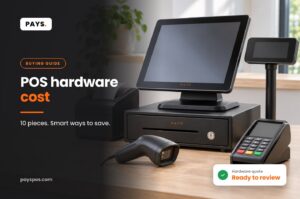
A cash register drawer looks like the simplest part of any checkout, but it is also one of the most common sources of setup headaches. The drawer has to open at the right moment, fit your counter, hold your bills and coins in a sensible layout, and lock when the shift ends. Here is what to check before you buy one for your point of sale.
How a cash drawer connects to your POS
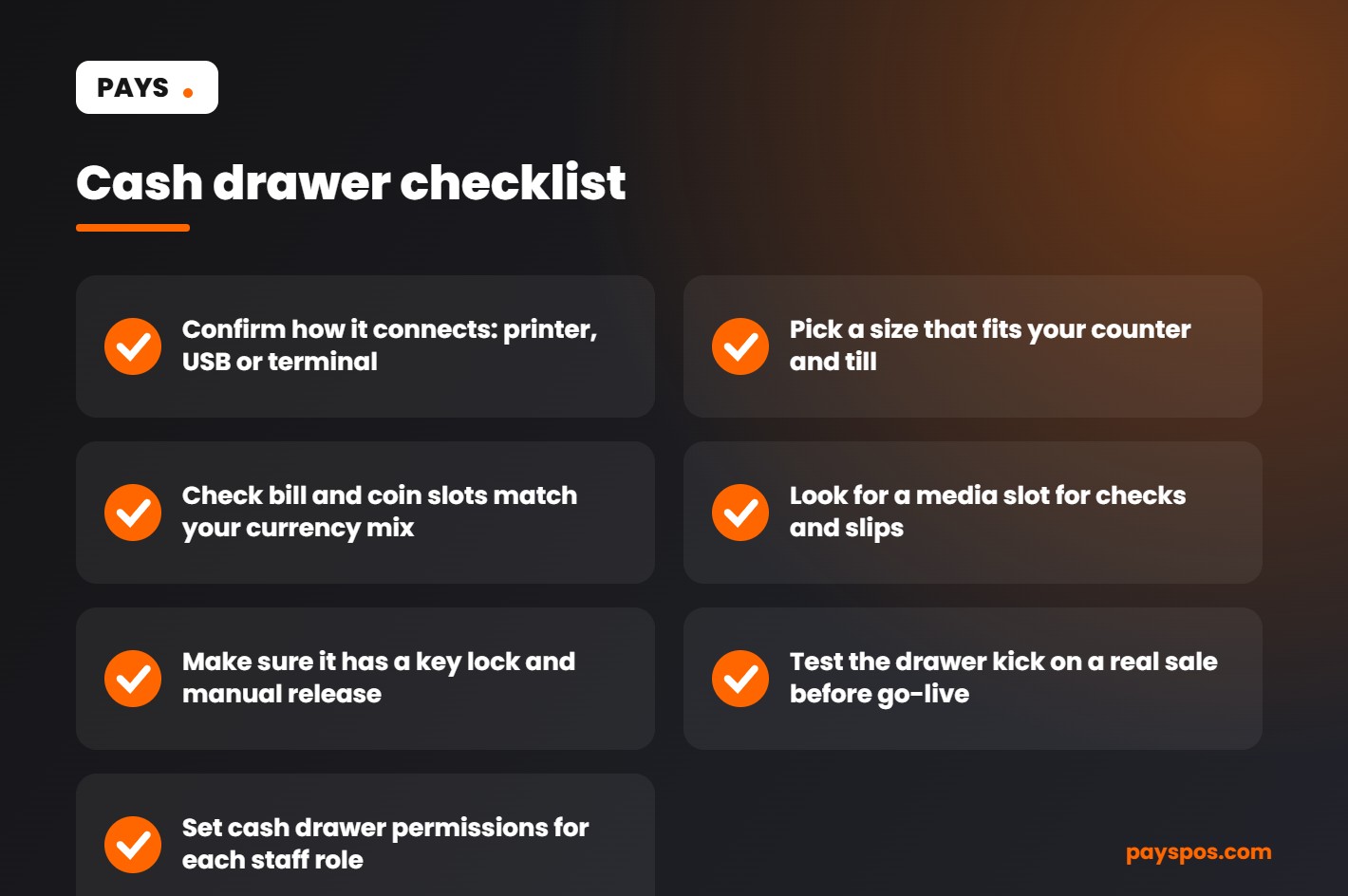
A drawer does not open on its own. It opens when the POS sends a signal, usually called a drawer kick. There are three common ways that signal travels:
| Connection | How it works | Good to know |
|---|---|---|
| Printer-driven (RJ11/RJ12) | Drawer plugs into the receipt printer, which pops it open after a cash sale | The most common setup, needs a compatible printer |
| USB | Drawer plugs straight into the POS station | No printer needed, check driver support |
| Terminal or station port | Some POS stations include a dedicated drawer port | Cleanest cabling on all-in-one stations |
The most frequent reason a new drawer does not open is a mismatch here: the wrong cable, a printer without a drawer port, or a setting that was never switched on. Confirm the connection type with your POS provider before ordering.
Sizes and till layouts
Drawers come in a range of widths, usually from compact units for tight counters to wide drawers for high-volume registers. Measure your counter and check that the drawer will open fully without hitting anything.
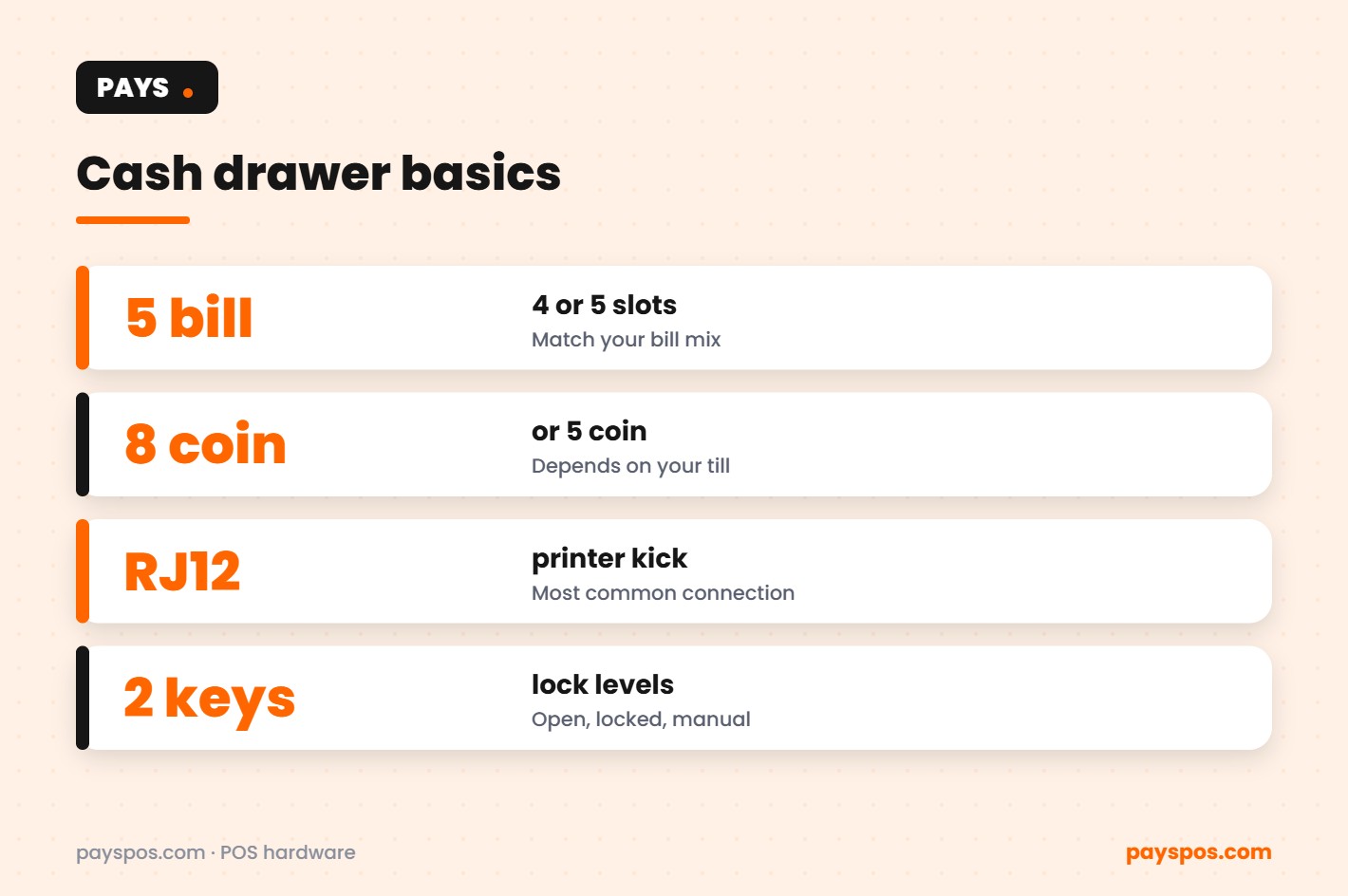
Inside, the removable till holds bills and coins. Common layouts include:
- 4 bill / 5 coin: compact, fine for most small shops.
- 5 bill / 5 coin: room for an extra denomination or larger bills.
- 5 bill / 8 coin: more coin slots for businesses that handle a lot of change.
A removable till is worth having. It lets managers swap tills between shifts and count cash away from the counter.
Features that make a real difference
- Media slot. A slot in the front lets staff drop checks, large bills or slips without opening the drawer.
- Key lock with positions. Typically locked, open, and online (opens on signal). Locking at shift end is a basic cash control.
- Manual release. For power cuts or a cable issue, so you can still make change.
- Durable slide. High-volume counters open the drawer hundreds of times a day.
- Bill weights that hold. Weak clips mean bills flying out in a breeze or a hurry.
Cash handling controls your POS should provide
The drawer is only half of cash control. The other half lives in the POS:
- Role permissions. Decide who can open the drawer without a sale.
- No-sale tracking. Every manual open should be recorded with a staff name and time.
- Shift reports. Expected cash vs counted cash at the end of each shift.
- Real-time reporting. See cash and card sales as they happen, not the next morning.
PAYS includes real-time reporting, so owners can see sales by payment type and staff member from anywhere.
Cash, cards and dual pricing
Many businesses that still take a lot of cash also want to reduce card processing costs. Dual pricing shows a cash price and a card price, so card payments cover their own fees and cash customers see a lower total. PAYS offers this as Cash Discount Pro. If you run dual pricing, a reliable cash drawer becomes even more important because more guests may choose cash. Check your state’s rules before you switch.
Setting up a new cash register drawer
- Place the drawer under or beside the POS station with room to open fully.
- Connect it to the printer, USB port or station port as specified.
- Turn on the drawer kick in the POS settings for cash payments.
- Test with a real cash sale and a no-sale, then check both appear in reports.
- Set permissions for cashiers, managers and owners.
- Label keys and decide who keeps them.
When PAYS sets you up, we configure hardware, build your menu and train your staff, so the drawer works on the first cash sale. You can see the drawer we stock on the cash register drawer product page, and the full range in our POS hardware shop.
Troubleshooting: when the drawer will not open
| Symptom | Likely cause | Quick fix |
|---|---|---|
| Opens with key, not with sales | Drawer kick not enabled or wrong cable | Check POS setting and cable type |
| Opens on every sale, even cards | Kick set for all payment types | Limit to cash payments |
| Opens late or randomly | Printer queue backed up | Restart printer, check paper and connection |
| Will not open at all | Lock in locked position | Turn key to online position |
Does every business still need a cash drawer?
Not every business. A cafe that is almost entirely card and phone payments may keep one small drawer for occasional cash. A liquor store, convenience store or bar with heavy cash volume needs a sturdy drawer at every register. The right answer depends on your payment mix, which your POS reports can show you in a few clicks.
Cash register drawer by business type
Restaurants and cafes
Most restaurants take far more cards than cash, but a cash register drawer at the host stand or counter is still useful for takeout, tips paid in cash and the occasional guest who prefers bills. A compact drawer under the POS station keeps the counter clear. If servers take payments at the table on handhelds, the drawer mainly handles counter sales and tip-outs.
Bars and nightclubs
Bars often see more cash than restaurants, especially late at night. A heavier-duty drawer with a media slot helps bartenders drop large bills without opening the till mid-pour. Lock the drawer whenever a bartender steps away, and review no-sale opens in the shift report.
Liquor, convenience and vape stores
High-traffic retail counters open the drawer constantly. Choose a durable slide rated for heavy use and a till with enough coin slots for exact change. Pair the drawer with a barcode scanner so checkout stays fast, and use the POS to see the cash and card split by hour.
Food trucks and pop-ups
Space is tight and power can be unreliable. A small drawer with a manual release is the practical choice, or a simple cash box if cash volume is low and most guests tap to pay.
End-of-shift cash routine
- Run the shift report in the POS to see expected cash.
- Count the till away from the counter.
- Record any difference with a short note.
- Prepare the next till with a set starting float.
- Lock the cash register drawer and store keys with the manager.
A five-minute routine like this, done every shift, catches small differences before they become big ones and gives staff a clear, fair process. It also makes the numbers in your reports far more trustworthy, so you can make decisions on staffing, cash floats and pricing with confidence. If you are setting up a new counter from scratch, our team can recommend the right cash register drawer, printer and station together so everything works as one system from the first sale.
For a broader look at choosing how your business accepts cash and cards, see the U.S. Small Business Administration guide to marketing, sales and accepting payments.
What a cash register drawer costs
A cash register drawer is one of the cheaper pieces of POS hardware, but prices still vary with size, build quality and connection type. Use this table as a rough guide when you plan your budget.
| Type | Typical use | What drives the price |
|---|---|---|
| Compact drawer | Coffee carts, kiosks, small counters | Smaller footprint, fewer slots |
| Standard drawer | Most restaurants and retail stores | Steel build, 5 bill and 5 coin slots |
| Heavy-duty drawer | High-volume stores and bars | Thicker steel, rated for many more open cycles |
| Cash drawer with removable till | Shift changes and multiple cashiers | Extra tills and lids |
| Under-counter mount | Tight counters | Mounting brackets and installation |
Spending a little more on a heavy-duty cash register drawer usually pays off in busy stores, because a drawer that fails mid-shift costs far more in lost sales and frustration.
Opening shift routine for the cash register drawer
A good closing routine only works if the opening routine is just as tight. Use the same steps every morning.
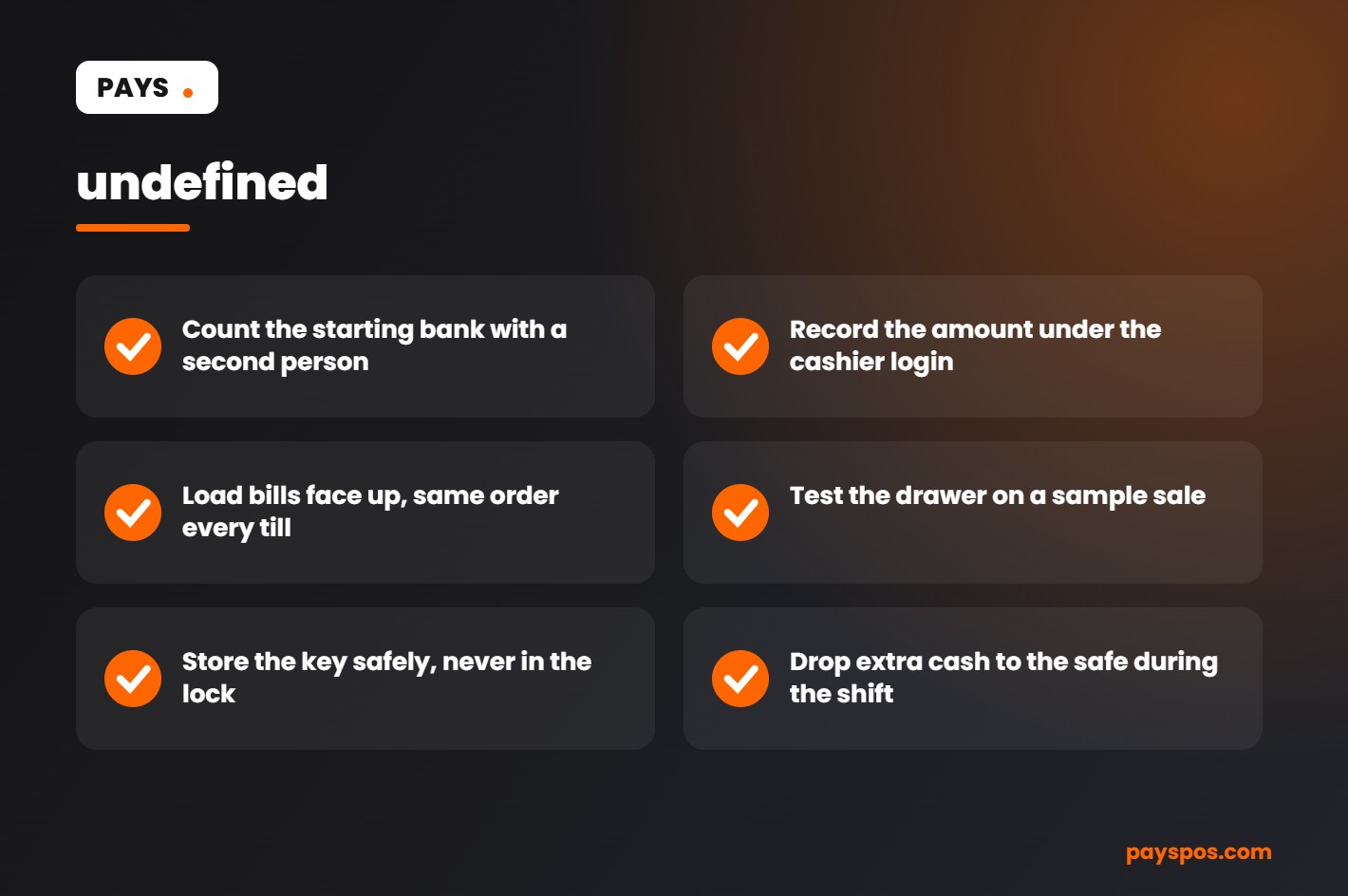
- Take the starting bank from the safe and count it with a second person if possible.
- Record the starting amount in the POS under the cashier’s login.
- Load bills face up and in the same order in every till.
- Check that the drawer opens on a test sale and closes cleanly.
- Make sure the key is stored safely, not left in the lock.
When every shift starts the same way, any difference at the end of the day is much easier to trace.
Cash register drawer security tips
- One cashier per cash register drawer. Shared drawers make it impossible to know who is responsible for a shortage.
- Keep drawer amounts low. Move extra cash to the safe during the day with a recorded cash drop.
- Use the no-sale report. A POS records every time the drawer opens without a sale. Frequent no-sales are worth a conversation.
- Position the drawer away from the door. Make it harder to reach from the customer side.
- Train staff on counterfeit checks. Teach the feel of real paper and the security features on larger bills.
- Use cameras over the counter. They protect honest staff as much as they deter theft.
Cash register drawer maintenance
A cash register drawer opens thousands of times a year. A little care keeps it working smoothly.
- Clean the slides and rails every few months to remove coins, dust and receipt paper.
- Do not overfill bill slots, which can jam the drawer.
- Check the cable connection to the printer or terminal if the drawer stops opening.
- Replace worn coin cups and bill clips before they break.
- Keep a spare key in the manager’s office, not in the drawer area.
A well-kept cash register drawer lasts many years with basic care. If a drawer jams often or the lock fails, replace it rather than waiting for it to break during a rush.
Cash register drawer scenarios
The short drawer on Friday night
A taco shop closes its drawer $40 short. Because each cashier uses their own login and their own till, the manager can see which drawer was short and when the no-sale opens happened. One conversation and a quick retraining fixes the issue.
The coffee shop with too much cash
A busy café holds more than $1,000 in a single drawer by lunchtime. A simple rule to drop cash to the safe every time the drawer passes a set amount reduces the risk overnight.
The boutique that went mostly card
A clothing store sees cash fall to a small share of sales. It keeps one compact cash register drawer at the main counter and drops the second drawer entirely, saving counter space without turning away cash customers.
Cash register drawer glossary
- Till: The removable tray inside a drawer that holds bills and coins.
- Starting bank: The cash placed in the drawer at the start of a shift.
- Cash drop: Moving extra cash from the drawer to the safe during a shift.
- No-sale: Opening the drawer without completing a sale.
- Over/short: The difference between expected and counted cash at close.
- Printer-driven drawer: A drawer that opens when the receipt printer sends a signal.
Key takeaways
- Choose a cash register drawer that matches your volume, counter space and hardware.
- Give each cashier their own drawer or till, and track every open in the POS.
- Use the same opening and closing routine every shift.
- Keep cash in the drawer low with regular cash drops.
- Pair cash handling with dual pricing so both cash and card customers see clear prices.
Cash register drawer connection types compared
The connection decides what triggers the cash register drawer to open. Getting it wrong is the most common reason a new drawer sits on the counter and refuses to work.
| Connection | How it opens | Good to know |
|---|---|---|
| Printer-driven (RJ11 or RJ12) | The receipt printer sends a pulse when a cash sale completes | The most common setup. Check the printer has a drawer port. |
| USB | The terminal or computer opens it directly | Needs a supported driver for your POS. |
| Serial | Older direct connection | Mostly found on legacy systems. |
| Manual | A key or push button | Works without power, but nothing is tracked. |
Before you buy, confirm which port your terminal or printer has and which drawer models your POS supports. A two-minute check saves a return and a week of waiting.
Questions to ask before buying a cash register drawer
- How many bill and coin slots do we really use?
- Will it fit under the terminal or on the counter we have?
- Does it connect to our printer or terminal without an adapter?
- Do we need removable tills for shift changes?
- Is it rated for the number of opens we do each day?
- Does it have a media slot for checks and large bills?
- What is the warranty, and how fast can it be replaced?
Is cash still worth the counter space?
Card and mobile payments keep growing, but many customers still pay in cash, and some prefer it. Cash is also instant, carries no card fees and does not lead to chargebacks.
That is why many businesses keep at least one cash register drawer even when most sales are cards. With dual pricing, cash customers see a lower price and card customers see the card price, so the business is not penalized for either choice.
The smartest approach is to look at your own numbers. Real-time reporting shows the cash and card mix by day and by hour, so you can decide how many drawers you really need and when to staff them.
Setting cash rules your team can follow
A written cash policy removes guesswork and protects staff. Keep it to one page and post it near the cash register drawer.
- The amount of the starting bank for each till.
- The level at which a cash drop to the safe is required.
- Who can approve refunds, voids and no-sale opens.
- How over and short amounts are recorded and reviewed.
- What happens if a drawer is short more than once in a month.
- How the cash register drawer key is stored and who can hold it.
Review the policy with every new hire and again whenever something changes. Clear rules, applied the same way to everyone, keep the drawer balanced and the team confident.
Frequently Asked Questions
How does a cash register drawer open?
It opens when the POS sends a signal, usually through the receipt printer, a USB connection or a dedicated port on the POS station.
Will any cash drawer work with my POS?
Not always. The connection type and voltage need to match your printer or station. Check compatibility with your POS provider first.
What size cash drawer should I buy?
Measure your counter and choose a drawer that opens fully. Match the till layout to the bills and coins you handle most.
Can I track when the drawer is opened without a sale?
Yes, most modern POS systems record no-sale opens by staff member and time, and show them in reports.