A bar payment system is the part of your point of sale that opens tabs, holds cards, adds tips and closes checks. On a quiet Tuesday almost anything works. On a packed Saturday, the wrong setup means lost tabs, walkouts and bartenders running back and forth to a single terminal. This guide explains how bar payments actually work behind the counter, and what to look for before you choose a system.
What a bar payment system has to handle
Restaurants mostly take one payment at the end of a meal. Bars are different. Guests order in rounds, move between the rail and tables, change who is paying, and leave at unpredictable times. A good bar payment system is built around that reality:
- Open tabs that stay attached to a guest name or seat all night.
- Card holds (pre-authorization) so the bar is protected if someone leaves without closing out.
- Tip adjustment after the guest signs or taps.
- Fast close-outs at last call, when twenty people want their card back at once.
- Reporting that shows sales by bartender, by hour and by drink.
How bar tabs work, step by step
1. Opening the tab
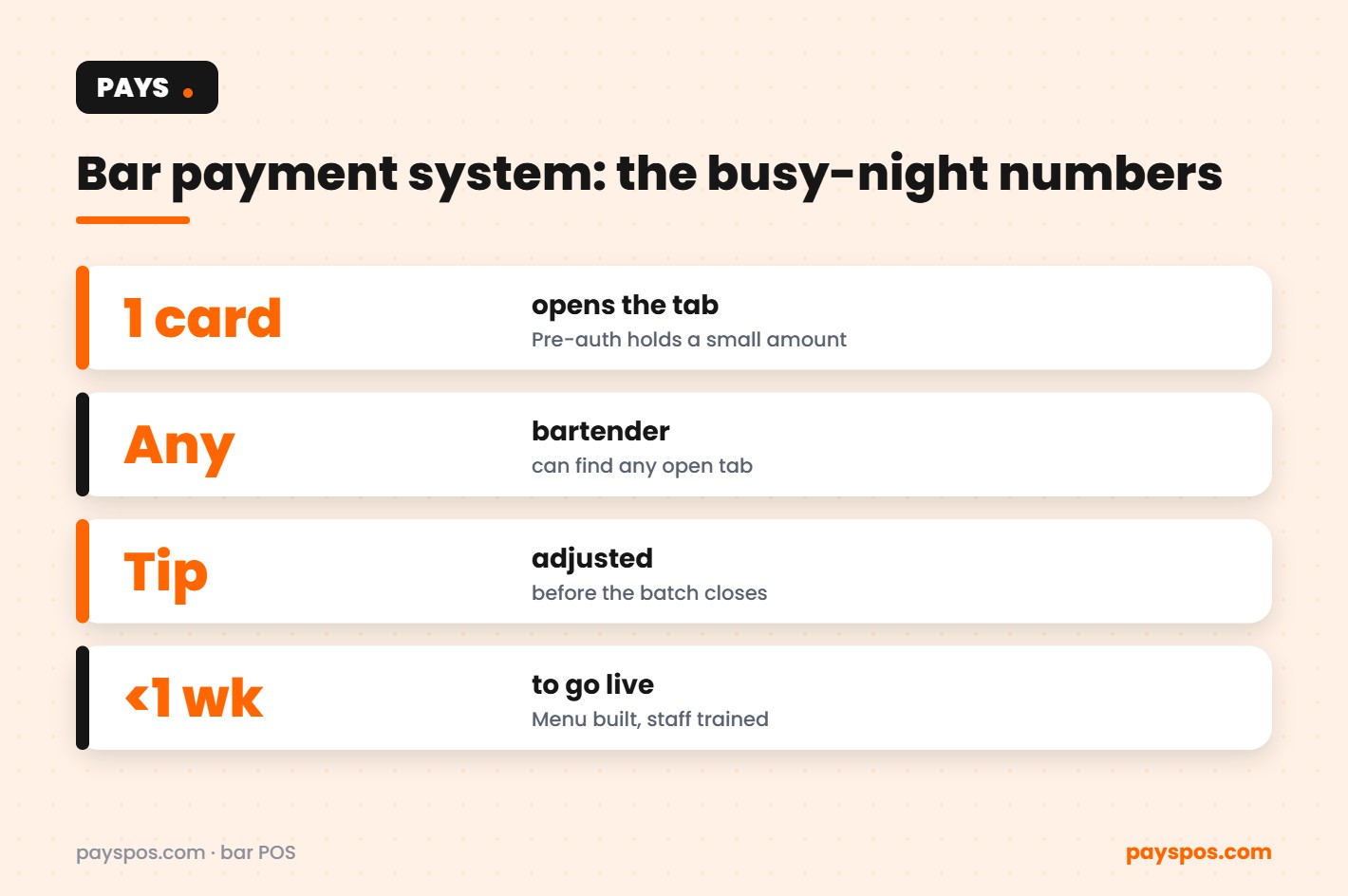
The guest hands over a card or taps a phone. The bartender opens a tab under their name. In many bars the card is pre-authorized at this point: the bank places a temporary hold for a small amount so the bar knows the card is valid. Nothing is charged yet.
2. Adding rounds
Every drink goes onto the tab as it is poured. On a modern system, any bartender can find the tab by name, which matters when shifts overlap or guests drift from one end of the bar to the other.
3. Closing out
When the guest is ready, the final amount is charged to the card already on file, the guest adds a tip, and the hold is released or converted into the final charge. With a handheld, this happens where the guest is standing.
4. Tips and batching
Tips are adjusted before the day’s transactions are batched and sent for settlement. A bar payment system that makes tip adjustment easy saves managers an hour of cleanup after closing.
Pre-authorization explained in plain English
A pre-authorization is a promise, not a payment. The card issuer confirms the card is good and sets aside a small amount. When the tab closes, the real total replaces the hold. If a guest walks out, the bar can still close the tab against the card on file, which is why pre-auths are standard practice in busy bars. Hold amounts, timing and walkout rules depend on your processor and card network rules, so confirm them with your provider when you set up.
| Moment | What happens to the card | What the guest sees |
|---|---|---|
| Tab opens | Small temporary hold | A pending amount, not a charge |
| Rounds added | Nothing yet | Nothing yet |
| Tab closes | Final total charged | One charge for the night |
| Tip added | Total adjusted before batch | Final amount with tip |
The walkout problem (and how to shrink it)
Walkouts usually happen when a bar is too busy to keep track of who has a card on file. Three habits reduce them sharply:
- Card first, drink second. Open every tab with a card or phone tap.
- Auto-close rules. Decide in advance how unclosed tabs are handled at the end of the night, including the tip policy.
- Visible tabs. Every bartender should see every open tab, not just their own.
Handhelds: the fastest upgrade most bars can make
The single biggest slowdown in a bar is the walk to the terminal. Handheld devices let bartenders and floor staff take orders and payments where the guest is, whether that is the rail, a high-top or the patio. When last call hits, closing twenty tabs from the floor is very different from closing them in a queue behind one screen. PAYS supports handheld POS devices alongside countertop terminals, on Dejavoo, PAX and Valor hardware.
Bar payment system vs a basic card terminal
| Need | Basic card terminal | Full bar payment system |
|---|---|---|
| Open tabs by name | No | Yes |
| Card on file for the night | Rarely | Yes |
| Sales by bartender | No | Yes, in real time |
| Online and delivery orders in the same system | No | Yes |
| Inventory and low-stock alerts | No | Yes |
Fees: what a bar actually pays to accept cards
Every card payment carries a processing cost. Bars feel it more than most because of high transaction counts and tips that raise the total charged. Two options help:
- Dual pricing. Show a cash price and a card price on the menu so the card covers its own cost. PAYS offers this as Cash Discount Pro. Check your state’s rules before you switch.
- Bring your own processor. PAYS is processor-agnostic, so you can keep a rate you already negotiated.
What to look for when choosing a bar payment system
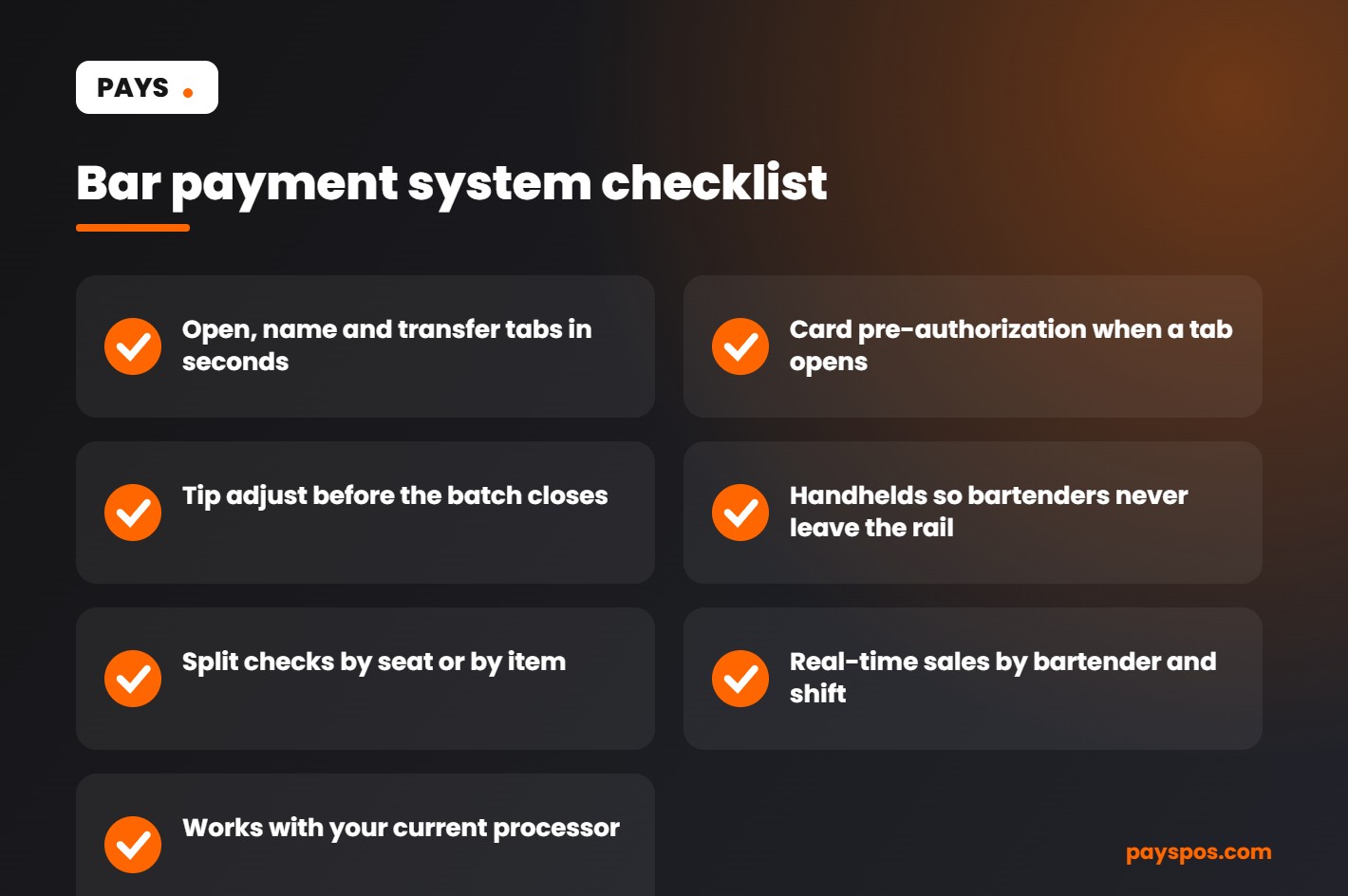
- Tabs that can be named, merged, split and transferred in a couple of taps.
- Card pre-authorization handled by the system, not by memory.
- Handhelds plus countertop terminals that work as one system.
- Real-time reporting by bartender, hour and item.
- Inventory tracking with low-stock alerts, so you reorder before the well runs dry.
- Setup help: menu built for you and staff trained, so your team is not learning during a rush.
- No long-term contract, so the system has to keep earning its place.
How PAYS fits a busy bar
PAYS is a point of sale built for bars and restaurants. We build your menu for you, train your staff and get you live in under a week, with no long-term contract. Tabs, handhelds, real-time reporting, inventory with low-stock alerts and online ordering all run in one system, and you can bring your own processor. If your bar also serves food, the kitchen display system sends food orders straight to the line. You can see the full bar setup on our bar and nightclub POS page, or read our guide to choosing the best bar POS system.
Common bar payment mistakes (and the quick fixes)
Running tabs without a card
It feels friendly to let regulars run a tab on trust, and most of the time it works. The night it does not, the loss comes straight out of margin. A simple house rule, card or phone tap to open any tab, protects staff from awkward conversations and protects the bar from walkouts.
One terminal for the whole bar
A single terminal turns every close-out into a queue. Even one handheld for the busiest station changes the pace of the night, because the bartender closes the tab where the guest is standing instead of walking away mid-pour.
Tips sorted out the next morning
When tips are adjusted on paper slips and keyed in after closing, mistakes creep in and staff wait longer to be paid out. Adjusting tips in the system before the batch keeps payouts accurate and saves the closing manager real time.
No view of sales by bartender
If you cannot see who sold what, you cannot spot your best performers or the station that keeps running short. Real-time reporting by bartender and hour makes scheduling and coaching far easier.
Ignoring the cost of card fees
Card fees on a high-volume bar add up quickly. Review your statement, compare effective rates, and consider dual pricing so card payments cover their own cost.
Your first week on a new bar payment system
- Day 1: Menu built and checked, including drink modifiers, happy hour pricing and specials.
- Day 2: Hardware set up: countertop terminals at the well, handhelds for the floor and patio.
- Day 3: Staff training on opening, transferring and closing tabs, plus tip adjustment.
- Day 4: A soft run during a slower shift to iron out any questions.
- Day 5 onward: Full service, with real-time reports to compare against the old system.
Most bars find the biggest difference shows up in the first busy weekend: shorter close-out lines, fewer open tabs left at the end of the night, and a cleaner bar payment system report the next morning.
Keeping card data safe matters even more when tabs stay open all night. The PCI Security Standards Council resources for small merchants.
Bar payment system needs by type of bar
Every bar takes cards, but the pressure points are different depending on the room. Match the bar payment system to the way your guests actually order and pay.
Neighborhood bars
Regulars open tabs, stay for hours and often pay in cash. In a neighborhood bar payment system, fast tab lookup by name, simple cash handling and a clear cash price matter more than fancy features. Dual pricing works well here because many regulars are happy to pay cash for the lower price.
Cocktail bars
Drinks are expensive and made to order, so accuracy in the bar payment system is everything. Modifiers for spirits, garnishes and upgrades should be quick to tap. Pour cost tracking helps protect margin on premium bottles.
Breweries and taprooms
Flights, pours by size, growler fills and merchandise all run through the same register. Inventory tracking by keg and by item keeps stock counts honest.
Nightclubs and late-night venues
Volume is the challenge for any nightclub bar payment system. Hundreds of guests want to pay at once, so speed at the bar and handhelds on the floor make the biggest difference. Pre-authorizations protect the venue when tabs run high.
Restaurant bars
Bar tabs often move to a dining table. The bar payment system should transfer a tab to a server’s check in one step, so nothing is lost and nobody pays twice.
Questions to ask before choosing a bar payment system
- How fast can a bartender open, find and close a tab during a rush?
- Does the system support pre-authorizations on cards left at the bar?
- Can tabs be transferred between the bar and the dining room?
- Do handhelds work for both ordering and taking payment at the table?
- Can I offer a cash price and a card price with dual pricing?
- Can I keep my own payment processor, or am I locked into one?
- Is there a long-term contract or early-termination fee?
- Who builds the drink menu and trains the staff?
Ask every bar payment system provider the same list and compare the answers side by side. Clear, specific answers are a good sign. Vague ones usually mean extra fees or missing features later.
A Friday night with the right bar payment system
It is 10 p.m. and the bar is three deep. A guest orders two cocktails and hands over a card to start a tab. The bartender swipes it once, the system places a pre-authorization, and the tab is saved under the guest’s name.
Half an hour later the guest moves to a table. A server pulls the tab onto a handheld and keeps adding rounds. At midnight the guest pays at the table, adds a tip on the handheld, and leaves without waiting at the bar.
Two other guests walk out without closing their tabs. Because the cards were pre-authorized, the bar can still close those tabs at the end of the night instead of writing off the drinks. At closing, the manager checks one report showing sales, tips, open tabs and voids by bartender.
That is what a modern bar payment system is for: fewer lines, fewer losses and a clear picture of the night.
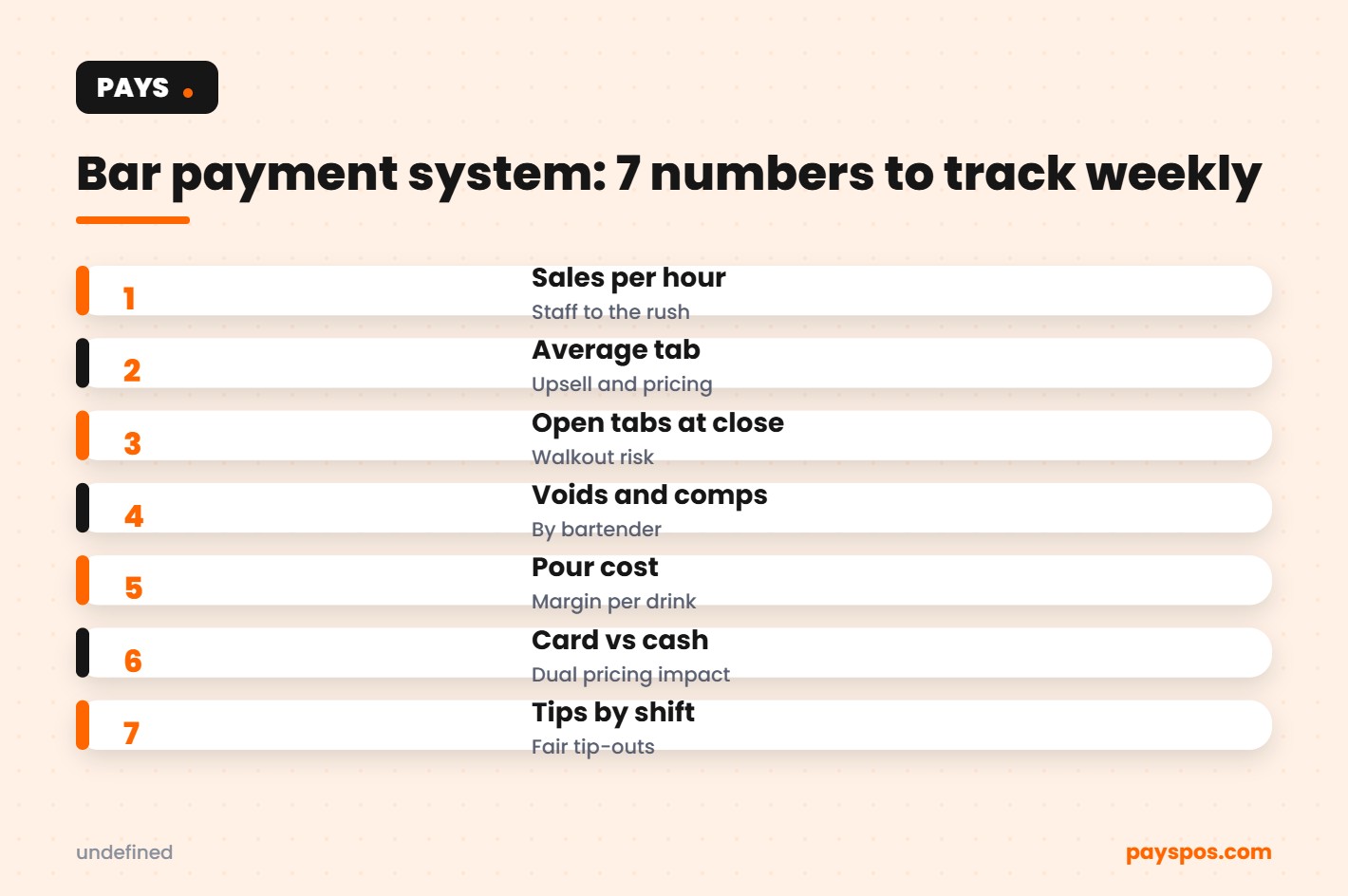
Numbers every bar owner should track weekly
| Metric | Why it matters |
|---|---|
| Sales per hour | Shows when to add or cut staff |
| Average tab size | Tracks upselling and pricing changes |
| Open tabs at close | Flags walkout risk and closing habits |
| Voids and comps by staff | Spots training gaps and possible abuse |
| Pour cost | Protects margin on every drink |
| Card vs cash mix | Shows the impact of dual pricing |
| Tips by shift | Keeps tip-outs accurate and fair |
A bar payment system with real-time reporting means these numbers are ready whenever you are, without exporting spreadsheets at 3 a.m.
Bar payment system glossary
- Tab: A running bill that stays open while a guest keeps ordering.
- Pre-authorization: A temporary hold placed on a card when a tab is opened.
- Walkout: A guest who leaves without paying an open tab.
- Comp: A drink or item given away free, usually approved by a manager.
- Void: An item removed from a check before it is paid.
- Tip-out: The share of tips passed from servers or bartenders to support staff.
- Dual pricing: Showing a cash price and a card price on the menu and the receipt.
Key takeaways
- A bar payment system should make tabs, pre-authorizations and split checks fast and simple.
- Handhelds shorten lines and keep guests ordering at their tables.
- Pre-authorized tabs reduce losses from walkouts.
- Dual pricing and processor choice help protect margin on every drink.
- Track a handful of numbers every week and act on what they show.
Keeping card data safe behind the bar
Bars are busy, loud and full of people, which makes card security easy to overlook, even with a modern bar payment system. A few simple habits keep guests and the business protected.
- Never write card numbers down. The bar payment system should store the tab, not a sticky note with digits on it.
- Keep cards in sight. Handhelds let guests pay at the table, so the card never leaves their hand.
- Use unique staff logins. Every bartender should sign in with their own code, so voids, comps and refunds can be traced to a person.
- Limit who can refund. Give refund and void permissions to managers only.
- Update terminals. Keep payment devices on current software and replace any device that looks damaged or tampered with.
- Follow PCI rules. Card industry standards apply to every business that accepts cards, large or small.
Good security habits also help with chargebacks. When a guest disputes a charge, clear records of the tab, the items, the time and the signature or tip make it much easier to respond and keep the sale.
Training bartenders on a new bar payment system
The best bar payment system in the world fails if the team does not trust it. Keep training short, practical and hands-on.
- Start with the five actions bartenders use most: open a tab, add a round, split a check, close a tab and run a refund request.
- Practice during a quiet shift, not on a Friday night.
- Pair new staff with a confident bartender for their first busy shift.
- Post a one-page cheat sheet behind the bar.
- Review voids and open tabs together at the end of the first week.
With PAYS, the drink menu is built for you and staff are trained as part of setup, so most bars are live in under a week. A well-trained team is what turns a new bar payment system into faster service and better margins.
Frequently Asked Questions
What is a bar payment system?
It is the payment side of a bar POS: opening tabs, holding cards, adding tips and closing checks, connected to sales reporting and inventory.
Do bars charge your card when you open a tab?
Usually not. Most bars place a temporary pre-authorization hold and charge the final total, including tip, when the tab closes.
How do bars handle customers who leave without closing their tab?
If a card is on file, the bar closes the tab against that card according to its own policy. Opening every tab with a card is the simplest way to prevent losses.
Can a bar payment system work with my current processor?
With PAYS, yes. It is processor-agnostic, so you can bring your own processor or choose one during setup.
How long does it take to switch?
PAYS gets most bars live in under a week, with the menu built for you and staff trained before your first shift on the new system.