Self-order kiosks have moved from fast food giants to neighborhood burger shops, cafes and pizza counters. The first question every owner asks is simple: what is the real kiosk cost? The honest answer is that it depends on the hardware, the software, how you pay for it and how many units you need. This guide breaks down restaurant kiosk cost in 2026 line by line, shows the hidden fees to watch for and walks through the ROI math so you can decide if kiosks make sense for your restaurant.
The short answer: typical kiosk cost in 2026
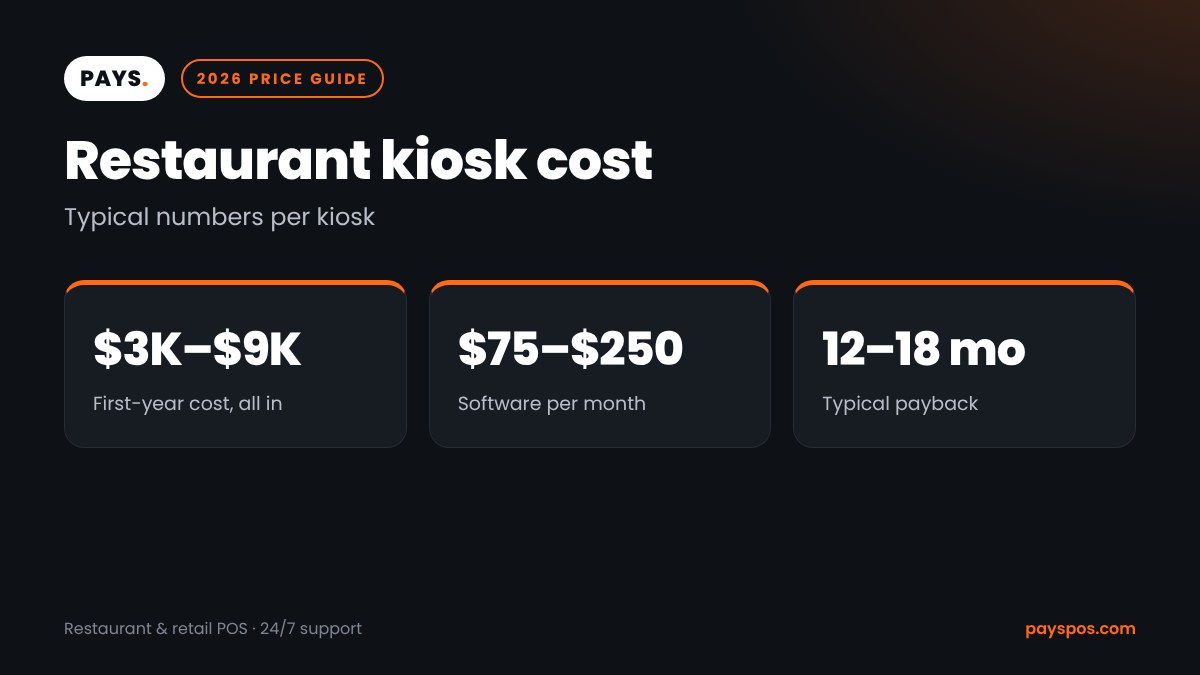
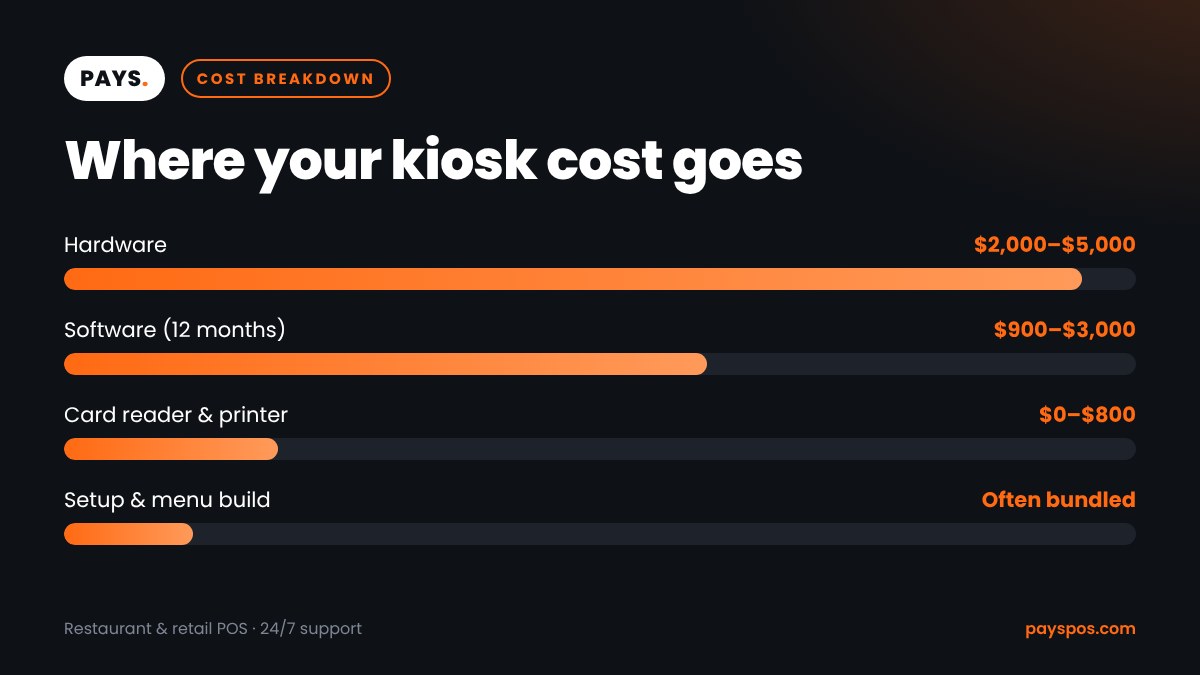
Industry pricing guides in 2026 put a restaurant kiosk at roughly $3,000 to $9,000 per unit in the first year, all in. That includes hardware, setup and a year of software. After the first year, ongoing kiosk cost is mostly software and support, often $75 to $250 per kiosk per month.
| Cost item | Typical range per kiosk |
|---|---|
| Hardware (screen, enclosure, stand) | $2,000 to $5,000, high-end units over $7,000 |
| Kiosk software | $75 to $250 per month |
| Card reader | Often included, or a few hundred dollars |
| Receipt or order printer | Optional, usually a few hundred dollars |
| Installation and setup | Often bundled, sometimes billed separately |
| Card processing | 2.6% to 3.5% of kiosk sales on average |
Those are broad ranges. A single countertop kiosk in a cafe sits at the low end. Three dual-sided floor kiosks in a busy quick-service restaurant sit at the high end.
What drives restaurant kiosk cost?
Eight factors decide where your kiosk cost lands.
1. Kiosk type
There are three main formats:
- Countertop kiosks sit on a counter or table. They take little space and cost the least.
- Floor-standing kiosks are the classic tall units with a 21- to 32-inch screen. They cost more but handle more traffic and look more permanent.
- Wall-mounted kiosks save floor space and work well in narrow dining rooms.
Some restaurants also use tablet-based kiosks: a commercial tablet in a locked stand. These are the cheapest option, but tablets wear out faster and look less polished.
2. Screen size and build quality
Larger touchscreens and commercial-grade enclosures cost more. Cheaper screens can feel slow and may not survive greasy fingers and constant use. For a restaurant, a durable, bright screen that responds quickly is worth paying for.
3. Payment hardware
Every kiosk needs a way to take cards and mobile wallets. Some kiosks include an integrated reader. Others need a separate reader mounted on the unit. Make sure the reader supports tap to pay, chip cards and phone wallets.
4. Printer
A printer for receipts or order numbers adds cost. Many restaurants skip it and show the order number on screen or send a text instead.
5. Software subscription
Software is the biggest ongoing kiosk cost. Subscriptions usually cover menu management, upsell prompts, updates and support. Some POS providers include kiosk software in their main plan, which can lower the total cost a lot.
6. POS integration
A kiosk that sends orders straight to your POS and kitchen is far more useful than one that does not. Standalone kiosks may need extra integration fees or manual work. This is one of the most overlooked parts of kiosk cost.
7. Installation and training
Floor kiosks may need anchoring, power and network cables. Some providers include installation, while others charge for it. Staff training is usually short, since guests do most of the work.
8. How you pay
You can buy kiosks outright, lease them or get them bundled with a POS plan. Buying costs more up front but less over time. Leasing spreads the cost but adds interest. Bundled plans can include hardware at low or no up-front cost in exchange for a processing agreement.
Hidden kiosk cost items to watch for
The quote you get may not show everything. Ask about these before you sign:
- Per-transaction software fees on top of the monthly subscription
- Setup or onboarding fees for menu building
- Extra fees for each new location or menu
- Hardware replacement costs after the warranty ends
- Long contracts with early termination fees
- Higher processing rates tied to “free” hardware
- Paid upgrades for features like loyalty or upselling
A low monthly price can hide a high processing rate. Always compare the full kiosk cost over three years, not just the first invoice. Our guide to POS hardware cost shows how to compare total cost of ownership for any device.
Kiosk cost vs the cost of a cashier
Kiosks do not replace your team. They change what your team does. Industry pricing guides report front-counter labor hours dropping roughly 15% to 25% after kiosks are added, with staff moving to food prep, expo and guest service.
Here is a simple comparison. Suppose a cashier shift costs about $20 an hour with taxes, and a kiosk lets you cut one register position for 6 hours a day.
| Item | Yearly amount |
|---|---|
| Labor hours saved (6 hours x 360 days) | 2,160 hours |
| Labor cost saved at $20 per hour | $43,200 |
| Kiosk cost in year one (high-end example) | $9,000 |
| Net difference | $34,200 |
Your numbers will be different, and many restaurants choose to keep the same staff and use kiosks to serve more guests at peak times. Either way, labor is the biggest lever in kiosk ROI.
Kiosks and bigger tickets
The other half of the ROI story is ticket size. Kiosk providers and industry guides commonly report average orders rising 10% to 30% with kiosks. The reasons are simple:
- Upsells never get skipped. The kiosk offers fries, a drink or an extra topping on every order.
- No pressure. Guests take their time and explore the menu.
- Photos sell. Pictures of combos and desserts lead to more add-ons.
- Accurate orders. Guests enter their own modifiers, so fewer mistakes need to be remade.
Even a modest lift adds up. A restaurant doing $1.2 million a year that gets a 7% sales increase from kiosks earns about $84,000 more, which covers the kiosk cost many times over.
A simple kiosk ROI formula
Use this to estimate your payback period:
- Add up first-year kiosk cost: hardware, setup and 12 months of software.
- Estimate monthly benefit: extra sales profit plus labor saved.
- Divide the first-year cost by the monthly benefit.
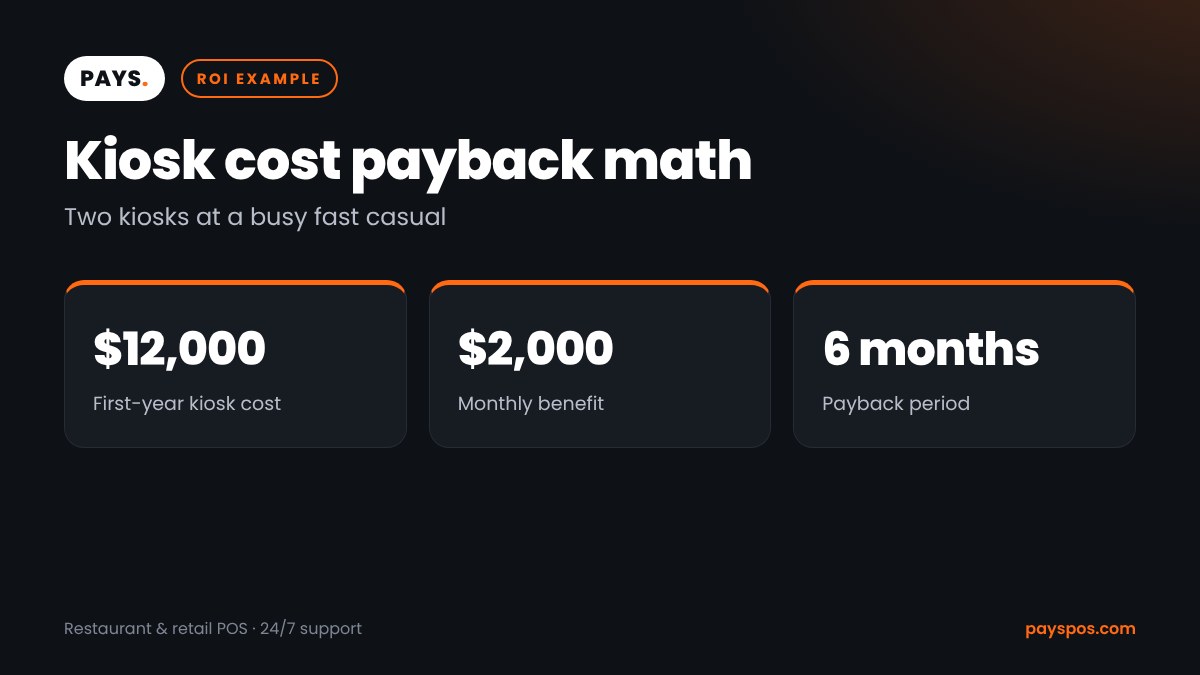
For example, two kiosks with a first-year cost of $12,000 and a monthly benefit of $2,000 pay for themselves in about six months. Many guides report payback within 12 to 18 months for a typical restaurant, and faster for high-volume sites.
Kiosk cost by restaurant size
How many kiosks you need depends on your peak traffic, not your total sales. A good rule of thumb is one kiosk for every 50 to 75 orders in your busiest hour, plus your existing registers. Here is how first-year kiosk cost might look for three common setups, using the ranges above.
| Restaurant type | Kiosks | Estimated first-year kiosk cost |
|---|---|---|
| Small cafe, 150 orders a day | 1 countertop | About $3,000 to $4,500 |
| Fast casual, 400 orders a day | 2 floor-standing | About $8,000 to $14,000 |
| High-volume QSR, 900 orders a day | 4 floor-standing | About $16,000 to $30,000 |
Bundled POS plans can bring these numbers down considerably, especially in year one.
Kiosk cost vs QR code ordering
QR code ordering at the table is the main low-cost alternative to kiosks. Guests scan a code, order on their own phone and pay there. The hardware cost is close to zero, but there are trade-offs:
- Speed: Kiosks are faster for walk-in guests who just want to order and go.
- Upsells: Large kiosk screens with photos usually sell more add-ons than a small phone screen.
- Reach: Some guests do not want to use their own phone, have a low battery or have a weak signal.
- Branding: A kiosk is a visible part of your restaurant. A QR code is easy to miss.
Many restaurants use both: kiosks at the counter for walk-ins and QR codes at tables for refills and second rounds. If budget is tight, QR ordering is a good first step while you plan your kiosk cost for next year.
Maintenance, lifespan and replacement
Commercial kiosks usually last several years, and many operators spread the hardware cost over three to five years when planning budgets. To get the most life out of each unit:
- Clean screens daily with a cleaner approved by the manufacturer
- Keep software updated so menus and payments run smoothly
- Place kiosks away from doors, heat lamps and fryer grease
- Check card readers weekly for damage or tampering
- Choose a provider with fast hardware replacement
Factor a small repair budget into your yearly kiosk cost. A cracked screen during the lunch rush costs more in lost sales than the repair itself.
6 ways to lower your kiosk cost
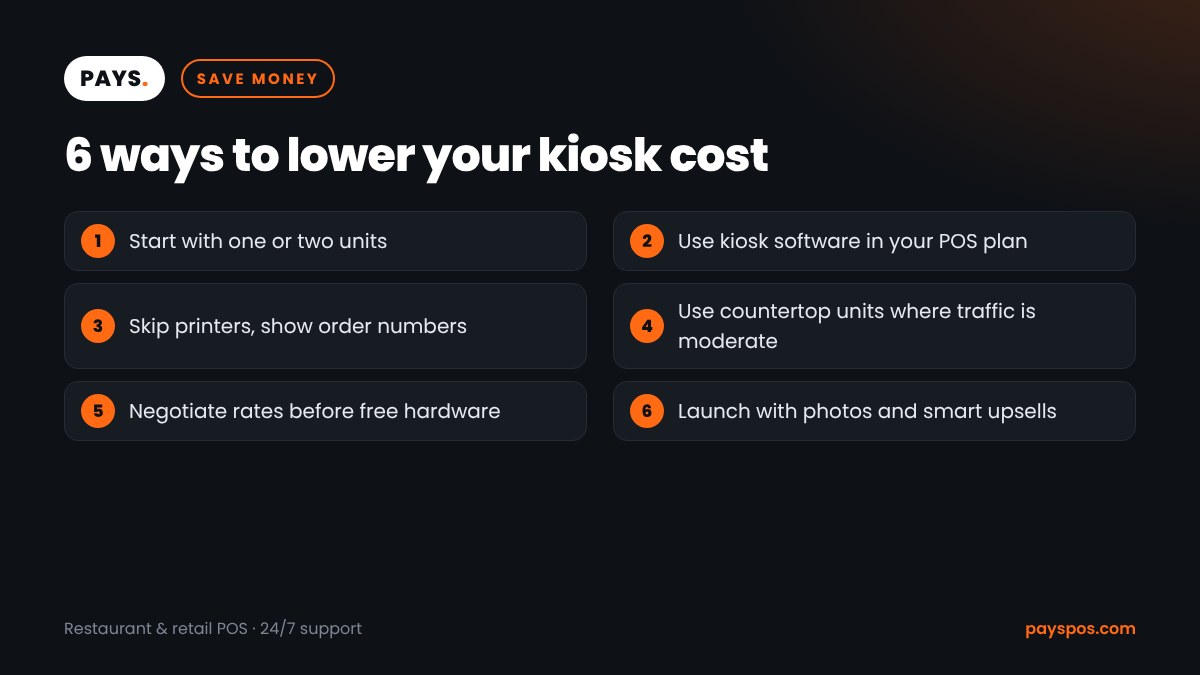
- Start with one or two units and add more after you see the data.
- Choose kiosk software included in your POS plan instead of a separate subscription.
- Skip printers and show order numbers on screen or by text.
- Use countertop units where floor space is tight or traffic is moderate.
- Negotiate processing rates before accepting “free” hardware.
- Build your menu with photos and smart upsells from day one, so the kiosk cost is covered by bigger tickets sooner.
Which restaurants get the most from kiosks?
- Quick-service and fast casual restaurants with lines at lunch
- Cafes and bakeries with simple menus and high morning traffic
- Pizza and burger shops where custom orders slow down the counter
- Food halls and stadium stands with short, intense rushes
- Restaurants with staffing gaps that struggle to fill cashier shifts
Full-service restaurants usually get more value from handheld POS devices than kiosks. For counter-service concepts, kiosks are often the best upgrade. Our guide to self-order kiosks for restaurants covers features and setup in more depth.
How to launch kiosks so guests actually use them
A kiosk only pays back if guests use it. The first two weeks matter most, so plan the launch.
- Put kiosks in the line of sight. Place them where guests enter, before they reach the counter, with a clear “Order here” sign.
- Have a greeter for the first week. One staff member near the kiosks can show guests how they work and answer questions.
- Keep the menu short on screen. Show categories and best sellers first. Long scrolling menus slow guests down.
- Use real photos. Photos of your own food sell better than stock images.
- Offer a small launch reward. A free cookie or drink upgrade for kiosk orders during launch week gets people to try it.
- Watch the data. Track kiosk share of orders, average ticket and abandoned orders every week.
Restaurants that launch well often see kiosks take a large share of orders within a few months. Restaurants that just plug them in and walk away often see guests ignore them, and the kiosk cost becomes an expense instead of an investment. If you run a fast casual restaurant, the launch plan matters even more, because your guests expect speed.
Accessibility and kiosk design
Kiosks must work for every guest. Under the Americans with Disabilities Act, businesses need to make sure guests with disabilities can order. That means reachable screens, accessible paths and an easy way to get help. The ADA Accessibility Standards cover reach ranges and clear floor space. Ask your provider about height-adjustable designs, accessibility modes and audio support, and always keep a staffed counter available.
Real-world scenarios
A burger shop with long lunch lines
A burger shop serving 400 guests a day added two floor kiosks. Its first-year kiosk cost was about $11,000. Average tickets rose because every order offered a combo upgrade, and one cashier moved to the grill during the rush. The kiosks paid for themselves in under a year.
A small coffee shop
A coffee shop with one register added a single countertop kiosk for about $3,500 in the first year. Regulars use it for simple orders while the barista handles complex drinks. The owner keeps a person at the register for guests who prefer it.
A fast casual bowl chain
A five-location bowl concept added three kiosks per store through a bundled POS plan. Hardware came at a low up-front cost in exchange for a processing agreement. Because kiosks, POS and kitchen screens came from one provider, orders flow straight to the kitchen display system without extra integration fees.
A pizza counter
A pizza counter with many custom orders found that kiosks cut order mistakes, because guests chose their own toppings. Fewer remakes saved food cost on top of the labor and sales benefits.
Questions to ask before you buy
- What is the total kiosk cost over 36 months, including software and processing?
- Does the kiosk connect directly to my POS and kitchen screens?
- Who builds and updates the menu, and is there a fee?
- What happens if a kiosk breaks? How fast is replacement?
- Is support available 24/7, including nights and weekends?
- Can I start with one kiosk and add more later?
- Are upsell prompts and photos included, or extra?
Kiosk cost glossary
- Floor-standing kiosk: A tall, freestanding kiosk with a large touchscreen.
- Countertop kiosk: A smaller unit that sits on a counter.
- Upsell prompt: A screen that suggests add-ons or larger sizes.
- Total cost of ownership: All costs over the life of the kiosk, including software and repairs.
- Payback period: How long it takes for savings and extra sales to cover the kiosk cost.
- POS integration: A direct connection that sends kiosk orders into your POS and kitchen.
Key takeaways
- Typical first-year kiosk cost runs about $3,000 to $9,000 per unit, all in.
- Software is the main ongoing cost, often $75 to $250 per kiosk per month.
- Watch for hidden fees, long contracts and high processing rates tied to “free” hardware.
- Kiosks often raise ticket size and free up staff, which drives fast payback.
- POS integration is essential, and bundled plans can lower total kiosk cost.
- Make kiosks accessible and keep a staffed counter for guests who prefer it.
Frequently Asked Questions
How much does a restaurant kiosk cost?
Most restaurants pay about $3,000 to $9,000 per kiosk in the first year, including hardware, setup and software. Ongoing kiosk cost is mainly software, usually $75 to $250 per month per unit.
Is it cheaper to lease or buy a kiosk?
Buying usually costs less over time, while leasing spreads payments out. Bundled POS plans can lower up-front kiosk cost, but check the processing rate and contract length.
Do kiosks really increase sales?
Many restaurants see higher average tickets because the kiosk offers add-ons on every order. Industry guides commonly report increases of 10% to 30%, depending on the menu and how upsells are set up.
How long does it take for a kiosk to pay for itself?
Many restaurants reach payback within 12 to 18 months, and high-volume locations can get there in under a year. Use your own labor and sales numbers to estimate it.
Can a small restaurant afford a kiosk?
Yes. A single countertop kiosk keeps the cost low, and bundled POS plans can reduce the up-front cost even more. Start with one unit and add more once you see the results.
Get kiosks that pay for themselves with PAYS
PAYS POS offers self-order kiosks that connect directly to your POS and kitchen screens, with built-in upsells, photo menus and tap-to-pay. Our bundled plans keep up-front kiosk cost low, and our team builds your menu for you. Book a free demo at payspos.com and see the numbers for your restaurant, with 24/7 support included.