Why PAYS POS Outperforms Common Restaurant POS Solutions
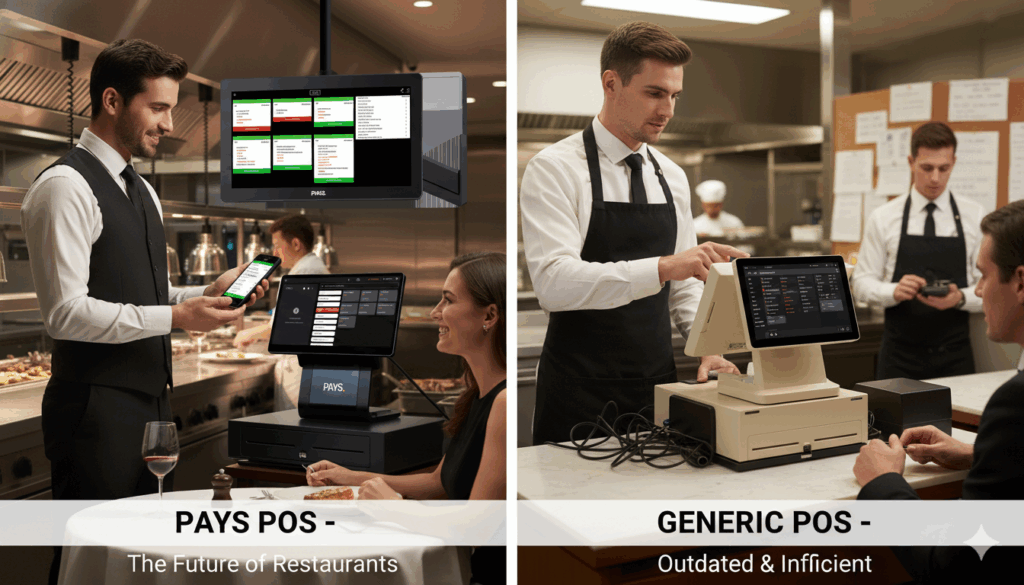
What if you could save thousands every year on processing fees while streamlining your restaurant operations? Sounds too good to be true, right?
But with PAYS POS, it’s not. Say goodbye to hidden fees, complicated systems, and long training times. With 0% processing fees, free hardware, and an intuitive interface that you and your team can easily navigate, PAYS POS eliminates the headaches that come with traditional POS systems.
It’s time to simplify your operations, reduce costs, and focus on what truly matters: delivering an exceptional dining experience.
Let’s check how PAYS POS outperforms a common restaurant point of sale system.
What Makes PAYS POS Different?
Unlike traditional POS systems that bury you in hidden fees, complex setups, and long training periods, PAYS POS is designed to make your life easier. Here’s why PAYS POS stands out from the rest:
- 0% Processing Fees: Say goodbye to the expensive processing fees that eat into your profits. With PAYS POS, you keep more of your hard-earned revenue.
- Free Hardware: No need to invest in costly hardware upfront. PAYS POS provides you with the equipment you need at no extra cost.
- Dual Pricing: Tailor your pricing for different payment methods, giving you flexibility while ensuring you maximize your profits.
- User-Friendly Interface: You don’t have to spend days training your team. The PAYS POS interface is intuitive, ensuring quick adoption and reducing the time spent on onboarding.
- Streamlined Operations: With powerful features like inventory tracking, detailed reporting, and loyalty program integrations, PAYS POS simplifies everything from daily operations to long-term business strategy.
PAYS POS isn’t just a POS system; it’s a tool that helps you run a more efficient, profitable restaurant with less effort.
Comparison with Other Restaurant POS Systems
When it comes to choosing a POS system for your restaurant, it’s crucial to make an informed decision that will support your business growth.
Let’s take a closer look at how PAYS POS compares to some of the most commonly used restaurant POS systems to help you see why PAYS POS is the better choice.
PAYS POS vs. Square
Square is a widely used POS solution, particularly among smaller businesses. It’s an affordable option with a simple pricing model, making it appealing for low-budget restaurants or cafes.
However, Square’s processing fees and lack of customization limit its effectiveness for high-volume or more complex restaurant operations.
Feature | PAYS POS | Square |
Processing Fees | 0% | 2.6% + 10¢ per transaction |
Free Hardware | Yes | No |
Dual Pricing | Yes | No |
Upfront Costs | Free hardware, no setup fees | Hardware costs + processing fees |
Inventory Management | Advanced tracking and reporting | Basic inventory options |
Loyalty Program Integration | Yes | Available with add-ons |
Customizability | Highly customizable | Limited customization |
Customer Support | 24/7 support | Limited to business hours |
Ideal For | All restaurant types, especially high-volume | Small to medium businesses |
Read in Depth: PAYS POS vs Square
PAYS POS vs. Lavu
Lavu is a robust POS system designed for high-end and custom setups. It offers comprehensive features like advanced inventory and reporting, making it suitable for upscale restaurants.
However, Lavu requires significant upfront investment in hardware and setup fees, which might not be ideal for smaller or cost-conscious operations.
Feature | PAYS POS | Lavu |
Processing Fees | 0% | Starts at 2.6% + 10¢ |
Free Hardware | Yes | No |
Dual Pricing | Yes | No |
Upfront Costs | Free hardware, no setup fees | Hardware costs + setup fees |
Inventory Management | Advanced tracking and reporting | Advanced inventory tracking |
Loyalty Program Integration | Yes | Yes |
Customizability | Highly customizable | High customization |
Customer Support | 24/7 support | Limited to business hours |
Ideal For | All restaurant types, especially high-volume | High-end restaurants, custom setups |
Read in Depth: PAYS POS vs Lavu
PAYS POS vs. Clover
Clover offers an array of hardware options and is widely adopted by small to medium-sized businesses. While it provides some flexibility and scalability, Clover’s SaaS fees and additional costs for advanced features can add up quickly.
Its pricing structure can be prohibitive for restaurants looking for an affordable, all-in-one solution.
Feature | PAYS POS | Clover |
Processing Fees | 0% | 2.6% + 10¢ per transaction |
Free Hardware | Yes | No |
Dual Pricing | Yes | No |
Upfront Costs | Free hardware, no setup fees | Hardware costs + SaaS fees |
Inventory Management | Advanced tracking and reporting | Available in higher plans |
Loyalty Program Integration | Yes | Yes |
Customizability | Highly customizable | Limited customization |
Customer Support | 24/7 support | 24/7 support |
Ideal For | All restaurant types, especially high-volume | Small to medium restaurants |
Read in Depth: PAYS POS vs Clover
PAYS POS vs. Toast
Toast is specifically built for restaurants and offers a highly specialized system for the food service industry. It excels in features for high-volume restaurants and integrates well with other restaurant management tools.
Toast comes with higher processing fees and setup costs, which can eat into a restaurant’s profits.
Feature | PAYS POS | Toast |
Processing Fees | 0% | 2.49% + 15¢ per transaction |
Free Hardware | Yes | No |
Dual Pricing | Yes | No |
Upfront Costs | Free hardware, no setup fees | Hardware costs + SaaS fees |
Inventory Management | Advanced tracking and reporting | Advanced tracking and reporting |
Loyalty Program Integration | Yes | Yes |
Customizability | Highly customizable | High customization |
Customer Support | 24/7 support | 24/7 support |
Ideal For | All restaurant types, especially high-volume | Quick-service and casual dining |
Read in Depth: PAYS POS vs Toast
Why PAYS POS is the Ideal Choice:
When comparing PAYS POS to other leading POS systems like Square, Lavu, Clover, and Toast, it’s clear that PAYS POS provides better value. With 0% processing fees, free hardware, and the flexibility of dual pricing, it’s the ideal solution for restaurants looking to save money, improve efficiency, and provide a seamless experience for both staff and customers.
The Business Benefits of PAYS POS
PAYS POS isn’t just another POS system; it’s a tool designed to make your restaurant more efficient and cost-effective. Here’s how PAYS POS can take your business to the next level:
Increase Efficiency and Reduce Operational Costs:
- With 0% processing fees and free hardware, PAYS POS eliminates unnecessary costs that other POS systems charge, letting you keep more of your profits.
- Dual pricing and a simple, user-friendly interface streamline your restaurant operations, ensuring that you don’t have to spend extra time or money on training or extra systems.
Streamlined Inventory Management and Reporting Features:
- PAYS POS offers robust inventory management features that help you track stock in real time and generate detailed reports, allowing you to make data-driven decisions and minimize waste.
- Compared to competitors like Square, which has basic inventory management, or Clover, which locks inventory tracking behind higher pricing plans, PAYS POS offers these advanced features at no additional cost.
Integration with Loyalty Programs and Third-Party Tools:
- PAYS POS easily integrates with loyalty programs and third-party tools, helping you build customer retention and grow your restaurant business.
- Unlike systems like Lavu, which may require custom integrations or additional costs, or Toast, which lacks the flexibility of PAYS POS, you can access seamless integrations at no extra cost with PAYS POS.
By using PAYS POS, your restaurant will not only save money, but you’ll also streamline operations and increase overall efficiency. When compared to the higher-cost solutions offered by competitors, PAYS POS stands out by providing these features with no hidden fees or extra charges, allowing you to invest in growth rather than paying for expensive systems.
Conclusion
In the restaurant industry, every dollar counts, and the right POS system can make all the difference. PAYS POS offers the most cost-effective, efficient, and scalable solution for restaurant owners looking to streamline operations and boost profits.
With 0% processing fees, free hardware, dual pricing, and advanced features like inventory tracking and loyalty program integration, PAYS POS delivers unmatched value.
Don’t let processing fees and hidden charges eat into your bottom line. Choose PAYS POS today, and experience the difference a POS system that truly works for you can make.
Want to make your restaurant operations smoother and more cost-effective?
Book a demo now and discover how PAYS POS can transform your restaurant!
Frequently Asked Questions
PAYS POS offers 0% processing fees, eliminating the extra charges typical of other POS systems and helping you keep more revenue.
Dual pricing lets you charge different prices for cash and card payments, helping you offset transaction fees and protect your margins.
Yes, PAYS POS easily integrates with your current systems, such as inventory management and loyalty programs, to enhance your operations.
Yes, PAYS POS is scalable and flexible, making it perfect for both small cafes and large restaurant chains.