Why Most Businesses Underestimate Point of Sale Costs

What if the “affordable” point of sale system you chose is actually costing your business far more than you realize? Many business owners approve a POS purchase thinking the hard part is over, only to uncover additional fees and operational costs once the system becomes part of daily operations.
The issue isn’t the price itself, it’s how POS costs are presented. Most vendors highlight low entry pricing while the real expenses live in hardware requirements, payment processing, feature upgrades, support plans, and future scaling. These costs don’t show up on day one, but they compound over time.
This blog will break down why businesses consistently underestimate point of sale costs, where those unexpected expenses come from, and how to assess a POS system based on its long-term financial impact rather than its upfront price.
The Common Mistake Focusing Only on Upfront POS Pricing
You’re likely drawn to a point of sale system because the monthly price looks reasonable and fits your budget. When a POS is advertised with a low starting cost, it feels like a safe, predictable investment. But that number usually reflects only the software, not the full system you’ll rely on every day.
What you don’t see upfront are the additional expenses that come with getting the POS fully operational. Hardware purchases, payment processing fees, paid integrations, and support plans often sit outside the base price. These costs appear after you’ve already committed, making them easy to underestimate.
When you focus only on the entry price instead of the total cost of ownership, you risk spending more than planned and limiting your ability to scale. Understanding the full picture early helps you choose a POS that supports your business long term without financial surprises.
Hidden Point of Sale Costs Most Businesses Miss
Once your POS is live, you often discover expenses that weren’t clearly outlined during the buying process. These costs may seem small individually, but together they can significantly increase what you actually spend.
Common hidden POS costs include:
- Hardware expenses: Terminals, handheld devices, receipt printers, cash drawers, and barcode scanners
- Installation and setup fees: On-site setup, configuration, and data migration
- Payment processing fees: Per-transaction charges, gateway fees, PCI compliance costs, and chargebacks
- Paid add-on features: Inventory management, advanced analytics, loyalty programs, and CRM tools
- Third-party integrations: Accounting, eCommerce, delivery, or marketing software
- Maintenance and upgrades: Software updates, system enhancements, and version upgrades
- Support costs: Priority support, after-hours assistance, or dedicated account management
When you don’t account for these items upfront, your POS budget can quickly spiral. Understanding where these costs come from helps you compare systems based on their true value, not just their advertised price.
Also Read: Point of Sale Software That Increases Speed, Accuracy, and Daily Revenue
Why Small Businesses Feel the Impact the Most
When you run a small business, your POS system isn’t just a tool, it’s a major operating expense that touches sales, staff, and customer experience. Unlike larger organizations, you’re working with tighter margins and limited cash flow, which means unexpected POS costs can quickly create financial pressure.
You often feel the impact in areas like:
- Cash flow strain: Surprise fees, higher processing rates, or required upgrades can disrupt monthly budgeting
- Overpaying for unused features: Many POS plans bundle advanced tools you may not need yet, forcing you into higher pricing tiers
- Limited negotiating power: Smaller businesses typically have less flexibility to negotiate rates or custom pricing
- Costly switching barriers: Contracts, early termination fees, data migration, and staff retraining make changing POS systems expensive
- Scaling challenges: Adding a register, user, or location may increase subscription and licensing fees faster than revenue grows
Because every dollar matters, underestimating point of sale costs can slow growth, reduce profitability, and limit operational flexibility. Choosing a POS designed for small businesses one that scales predictably and avoids hidden charges helps you stay in control as your business evolves.
The Real Cost of a POS System
If you want to make a smart POS investment, you need to think beyond the advertised monthly subscription and focus on the total cost of ownership (TCO) and the full financial impact your system will have over time. TCO gives you a realistic view of what you’ll actually spend, helping you avoid unexpected expenses that can erode your profits.
Here’s what you should include when calculating TCO:
- Initial setup costs: This goes beyond software fees. You’ll likely need terminals, handheld devices, receipt printers, cash drawers, barcode scanners, and installation services. Even seemingly small charges like data migration or configuration fees can add up.
- Ongoing subscription or licensing fees: While a base plan might seem affordable, adding users, registers, or locations can increase your monthly or annual payments. Higher-tier plans with extra features often cost significantly more.
- Payment processing fees: Every sale comes with processing charges per-transaction fees, percentage-based gateway fees, and compliance-related costs. Even a small difference in rates can have a major impact as your sales volume grows.
- Maintenance and upgrades: Regular software updates, bug fixes, and hardware replacements may require additional costs. Premium support or after-hours assistance often comes with higher fees as well.
- Add-ons and integrations: Features such as inventory management, loyalty programs, advanced reporting, CRM tools, and third-party integrations frequently come at extra cost. Bundling multiple add-ons can turn a “basic” POS into a substantial investment.
- Operational costs: Training your staff, handling system downtime, and scaling your POS for additional locations or registers all contribute to your long-term expenses. These operational factors are often overlooked but can significantly impact your business efficiency and profitability.
This approach allows you to compare systems accurately, choose one that fits your long-term needs, and make informed decisions that protect your margins while supporting business growth.
Also Read: How Smart Businesses Avoid The POS System Cost Trap
How Modern POS Systems Reduce Long-Term Costs
When you choose the right POS system, it can do more than just process sales; it can actively help you cut costs and simplify operations over time. Modern POS solutions are designed to give you transparency, efficiency, and scalability, so you’re not paying for surprises or unnecessary extras.
Here’s how a modern POS can reduce your long-term costs:
- All-in-one platforms: Instead of paying for separate software for inventory, CRM, loyalty programs, and accounting, many modern POS systems include these features in a single platform, saving you on monthly subscriptions and integration fees.
- Cloud-based updates: With cloud POS, software updates, security patches, and new features are automatic. You don’t have to hire IT support or pay for costly upgrades.
- Scalable pricing plans: As your business grows, you can add registers, users, or locations without overhauling your system or signing expensive contracts. You only pay for what you need.
- Reduced hardware dependency: Many modern POS systems work on mobile devices, tablets, or existing hardware, lowering the cost of purchasing and maintaining terminals.
- Improved operational efficiency: Faster checkout, better inventory management, and built-in reporting reduce labor hours, minimize stock losses, and prevent costly errors.
- Lower transaction fees: Some POS systems offer integrated payment processing with competitive rates, helping you save on per-transaction costs over time.
- Transparent pricing: Clear subscription tiers and no hidden add-ons mean you can plan budgets accurately and avoid unexpected financial surprises.
When you choose a modern POS system with these capabilities, you’re not just buying software, you’re investing in a tool that can actively save you money, time, and operational headaches as your business grows.
Also Read: How POS Systems Improve Staff Training Across Franchise Locations
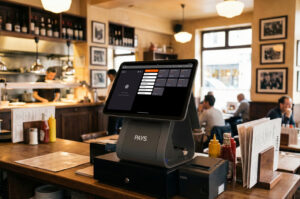
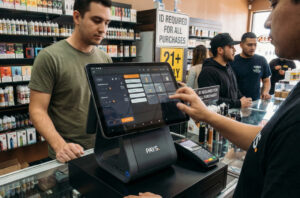
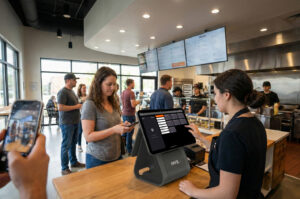
How PAYS POS Helps Businesses Control POS Costs
When you’re running a business, keeping your POS costs predictable is just as important as having a system that works. PAYS POS is designed to give you transparency, flexibility, and efficiency, so you’re never caught off guard by hidden fees or unnecessary expenses.
Here’s how PAYS POS helps you control costs:
- Transparent pricing: You see exactly what you’re paying for no hidden subscription fees, surprise add-ons, or unexpected hardware costs.
- All-in-one solution: PAYS combines payment processing, inventory management, reporting, and loyalty tools in a single platform, eliminating the need for multiple subscriptions.
- Flexible plans that scale with you: Add registers, users, or locations as your business grows without jumping to costly plans or long-term contracts.
- Integrated payment processing: Competitive transaction rates are built in, helping you save on per-sale fees while keeping payments secure and compliant.
- Reduced operational overhead: Easy-to-use dashboards, automated reports, and intuitive interfaces save you time on training, tracking, and managing sales.
- Remote updates and cloud management: Your POS stays up to date automatically, avoiding costly IT interventions or downtime.
- Support tailored to your business: PAYS provides dedicated support to help you solve issues quickly, reducing disruptions that can impact revenue.
By using PAYS POS, you’re not just buying a system you’re investing in a cost-efficient platform that grows with your business, helping you focus on operations, customer experience, and profits without worrying about hidden expenses.
Conclusion
Choosing a point of sale system isn’t just about the monthly price you see advertised, it’s about understanding the total cost of ownership and how it impacts your business over time. By considering hardware, transaction fees, add-ons, operational expenses, and scalability, you can avoid surprises that eat into your margins.
When you take the time to evaluate all costs upfront, you position your business to grow efficiently, save money, and streamline operations. The right POS system becomes more than a tool; it becomes a partner that supports your business goals without hidden costs or unnecessary complexity.
Take control of your POS costs today with a system designed for transparency and growth. Get a personalized PAYS POS cost breakdown and see exactly what your business will pay, no surprises, just smart planning.
Request a demo to explore features and pricing tailored to your business.
FAQs
PAYS POS combines payment processing, inventory management, reporting, and loyalty tools in a single platform, reducing the need for multiple subscriptions and helping you save on long-term costs.
PAYS POS offers transparent pricing with no surprise fees for hardware, add-ons, or upgrades, so you know your total cost upfront and can budget accurately.
Yes! You can add registers, users, or locations easily without jumping to expensive plans, making it ideal for small businesses and multi-location operations.
Absolutely. PAYS POS comes with built-in payment processing at competitive rates, reducing per-transaction fees and simplifying compliance.
With cloud-based updates, real-time reporting, and dedicated support, PAYS POS helps streamline workflows, minimize downtime, and improve efficiency, saving both time and money.