What’s the Best Point of Sale System for Small Businesses
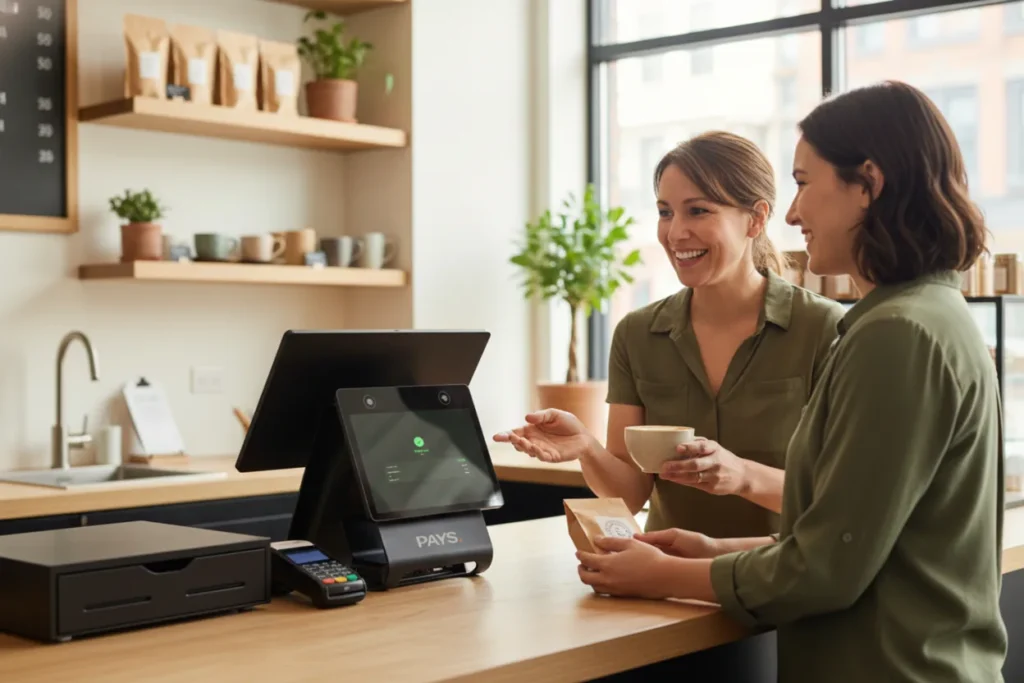
Struggling with how to manage your dream business?
You figured out everything: customers, marketing, shipping, and all the other aspects, but it is getting overwhelming, isn’t it?
That’s exactly where thousands of small business owners find themselves. The passion is there, customers are coming in, orders are being fulfilled, but behind the scenes, chaos is building. Long checkout lines you can’t track, missing inventory you can’t explain, employees clocking in and out with no clear record, and payments that don’t reconcile at the end of the day…
It’s not that your business isn’t working. It’s that your systems aren’t.
And for many small businesses, the turning point begins with choosing the right Point of Sale (POS) system, one that doesn’t just process payments, but actually helps you run your entire operation smoothly.
Let’s take a look at how we can help you ease out your business struggles.
Why Your POS Choice Matters More Than You Think
Running a small business isn’t just about great products or good customer service; it’s about how efficiently everything operates behind the scenes. And the POS system you choose directly impacts that efficiency.
- Slow checkouts : Customers don’t like waiting, and delays at the counter often push them to switch to faster competitors.
- Inventory errors : When stock levels aren’t accurate, you over-order, under-order, or miss sales you could’ve captured.
- Payment failures : A single failed transaction can damage trust and increase the chance of losing a repeat customer.
- Data blind spots : Without insights into sales, staff performance, or peak hours, you’re making decisions in the dark.
A powerful POS doesn’t just process payments; it keeps your entire business running smoothly, profitably, and predictably.
Also Read: How to Choose the Best POS System for Your Small Business
Key Features Small Businesses Should Look For
Choosing the right POS isn’t about picking the most popular system; it’s about finding the features that actually make your daily operations easier. Here are the essentials every small business like yours should prioritize.
Fast & Reliable Checkout
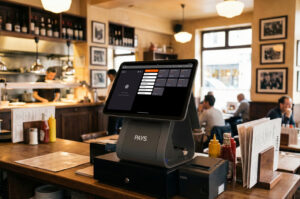
In the restaurant industry, speed matters. A good POS system processes orders quickly, minimizes customer wait times, and operates smoothly even during peak hours. It doesn’t matter, you’re scanning items, taking card payments, or ringing up tables, the experience should be fast and glitch-free.
Inventory Management
Small stock mistakes in your restaurant inventory often lead to big losses. Your POS system should track inventory in real-time, alert you when items are running low, and automatically update counts after each sale. This prevents over-ordering, out-of-stock issues, and guesswork.
Employee & Role Management
With multiple staff members, you need clarity and control. A strong POS lets you set role-based permissions, track clock-ins, assign responsibilities, and monitor performance, all without micromanaging.
Payment Flexibility
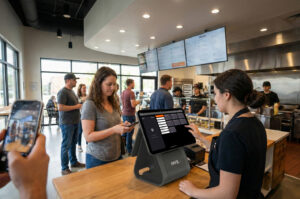
Customers pay however they prefer today: by card, wallet, tap-to-pay, QR code, online link, or cash. Your POS system must accept all transactions securely, quickly, and at the lowest possible processing cost.
Reporting & Analytics
Your numbers tell you what’s working. Look for a POS that gives you insights into sales trends, top-selling items, employee performance, and busiest hours. These reports help you make better decisions without spending hours on spreadsheets.
Easy Integrations (Accounting, Online Ordering, Loyalty)
A modern POS should connect seamlessly with the tools you already use, such as accounting software, online ordering platforms, loyalty programs, delivery apps, and marketing tools. Integrations save time, reduce errors, and help your business grow without adding complexity.
How to Choose the Right POS for Your Type of Business
Every small business runs differently, which means the “best POS” depends on the industry you’re in. Here’s how to match the right features with your business model so you’re not overpaying for tools you don’t need (or missing the ones you do).
For Restaurants
Restaurants move fast, and your POS needs to keep up with the speed.
- Table Management : Your restaurant POS should allow you to view the table status in real-time and assign servers. Additionally, it enables you to manage reservations and maintain a seamless service flow.
- Kitchen Ticket Routing : When your orders are reaching the kitchen quickly, the right prep station reduces errors, speeds up service, and improves food quality.
- Handheld Ordering : Handheld devices will allow your servers to take orders tableside, resulting in fewer mistakes, quicker turnarounds, and happier guests.
For Retail Stores
Retail businesses typically rely on accuracy, speed, and effective inventory control.
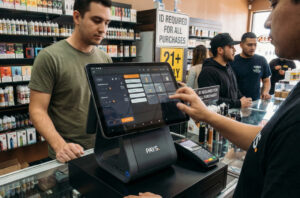
- Barcoding : Barcode scanning speeds up checkout, reduces human error, and facilitates effortless product tracking.
- Stock Management : Your POS should update your inventory instantly after each sale. It will alert you when items are running low and help forecast future demand.
- Returns/Exchanges : In retail businesses, smooth return workflows are important for customer satisfaction and operational clarity.
For Service Businesses
Service-based companies require scheduling, flexibility, and billing management.
- Appointment Booking : A POS that includes a built-in calendar or integrates with scheduling apps keeps your day organized and prevents double bookings.
- Recurring Billing : Ideal for gyms, salons, coaching, or subscription-based services. Your POS should automate repeat payments to save hours of admin work.
Also Read: What Makes a POS System the Best for Retail Businesses?
Hidden Costs You Should Watch Out For
Many POS systems look affordable at first… until the hidden fees start adding up. Before choosing a system, make sure you’re aware of these often-overlooked expenses:
Processing Fees
This is the biggest cost most small businesses underestimate.
Some POS companies charge 2.6%–3.5% per transaction, plus additional fees for keyed-in or online orders. Over time, this can cut deeply into your margins, especially if you run a high-volume business.
Hardware Upgrades
The initial hardware might come at a discount, but future add-ons often don’t.
Extra card readers, handheld devices, printers, or kitchen displays can easily add hundreds (or thousands) to your total cost.
Add-Ons & Premium Features
Many systems lock essential tools, such as loyalty, online ordering, advanced reports, and integrations, behind upgraded plans or monthly add-on fees. What feels like a small monthly charge can multiply quickly as you grow.
Subscription Tiers
Be cautious with plans that start cheap but scale aggressively.
Some POS providers raise prices as your business grows, charge per employee, or increase monthly fees when you add new locations.
Understanding these hidden costs helps you avoid unexpected expenses and choose a POS that aligns with your long-term budget.
How PAYS POS Is Better for Small Businesses
When small businesses compare POS systems, most options appear similar on the surface until you delve into the real costs and long-term implications. This is where PAYS POS truly stands out, offering a combination of savings, control, and simplicity that few other systems can match.
1. 0% Processing Fees With Dual Pricing
For many small businesses, payment processing fees quietly drain thousands each year. PAYS POS eliminates that problem with a smart dual-pricing model that passes card fees to the customer while maintaining the same cash prices.
Result?
You keep more of your revenue, margins stay healthy, and your POS stops eating into your profits..
2. Faster Payouts for Better Cash Flow
Small businesses often run on tight cash flow. With PAYS POS, you get same-day payouts, helping you manage inventory, payroll, and day-to-day expenses without delays.
This alone can be a game-changer during busy seasons or slow months.
3. Cloud-Based System With Zero Maintenance
You don’t need an IT team or complicated setups. PAYS POS operates on a cloud-based platform that updates automatically, remains secure, and functions seamlessly across multiple devices.
It’s simple, modern, and designed for business owners who want to avoid tech headaches.
4. Built-In Analytics, Loyalty, and Reporting
Instead of paying extra for add-ons, PAYS POS includes key features small businesses need every day:
- Sales trends and performance insights
- Customer behavior tracking
- Loyalty tools to increase repeat business
- Real-time dashboards for better decisions
Everything is in one place, helping you understand what’s working and where you can grow.
5. Lower Total Cost = Higher ROI
With 0% processing fees and no surprise billing, PAYS POS helps small businesses save significantly compared to most traditional POS systems.
Those savings can be reinvested in staff, marketing, upgrades, or retained as profit.
Also Read: How AI and Fast Payouts Are Transforming Restaurants
Conclusion
Choosing the best POS system for your small business isn’t just about having a tool that accepts payments; it’s about finding a system that supports your growth, simplifies your day-to-day operations, and keeps your costs under control. With numerous options available on the market, the right fit ultimately depends on your business type, workflow, and long-term objectives.
But if you’re looking for a solution that’s affordable, easy to use, and built to help small businesses save more and operate smarter, PAYS POS stands out. From 0% processing fees to powerful built-in tools, it offers the kind of value most systems simply can’t match.
Switch to PAYS POS and start saving from the very first day. Schedule a demo today.
Frequently Asked Questions
Totally. That's the whole point. They see hours turning into money. Overtime calculations. Deductions explained. Zero mystery.
Facts. People LOVE predictability. They can see their shifts in advance, get updates in real time, and actually plan their lives. No last-minute chaos.
100%. Less turnover = less hiring and training costs. Better engagement = better customer service, faster transactions. Happy employees make smarter choices. It adds up.
Automatic. Tracks it all, flags it, nothing gets missed. Team gets paid right. You've got clean records. Everyone's covered.
Yeah. They can check anytime, request swaps, and see changes live. Takes the communication burden off managers, gives employees control.