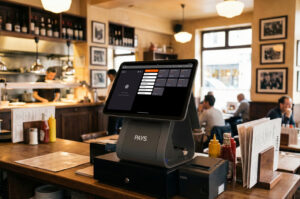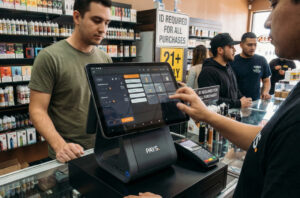
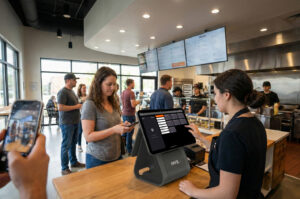
Top Tips for Finding the Right POS System for Your Retail Business
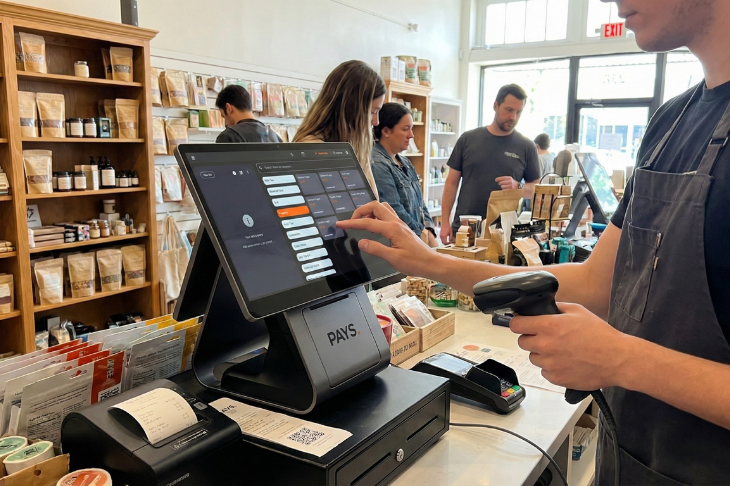
TL;DR
- Outdated systems or multiple tools slow down retail operations, frustrate customers, and increase errors.
- A modern POS like PAYS POS centralizes sales, inventory, reporting, and staff management in one platform.
- Key benefits include faster checkout, real-time inventory tracking, multi-location support, and actionable analytics.
- PAYS POS also offers 0% processing fees, next-day payouts, and easy adoption for your team.
- Choosing the right POS boosts efficiency, reduces mistakes, improves customer experience, and maximizes profits.
Did you know, many retailers lose hours every week because their systems don’t communicate? It causes frustrated customers and missed sales opportunities.
That’s why it is extremely important to choose the right POS system that can solve these problems. A modern retail POS streamlines checkout, tracks inventory in real time, and gives you accurate sales insights, all from a single platform.
In this blog, we’ll share practical tips to help you pick the best POS system for your retail store, so you can save time, reduce errors, and grow your business efficiently.
Why Choosing the Right POS System Matters for Retail
Selecting the right POS system directly impacts multiple factors. Such as how smoothly your store runs, how happy your customers are, and how much profit you make. If you’re still relying on outdated or multiple disconnected systems, you may be losing valuable time and money every day.
Faster Checkout Improves Customer Experience
Your customers expect a quick and seamless checkout. Slow or complicated processes frustrate shoppers and can lead to abandoned purchases. A good POS speeds up transactions, reduces wait times, and keeps your customers satisfied.
Accurate Reporting Helps You Make Data-Driven Decisions
Manual reporting or multiple spreadsheets makes it hard to understand which products sell best, which shifts are busiest, or how promotions are performing. A retail POS gives you instant, accurate reports so you can make smarter decisions for your business.
Staff Efficiency Increases With a Unified System
When your team has to juggle multiple tools for sales, inventory, and reporting, mistakes happen and productivity drops. A unified POS reduces errors, saves time, and helps your staff focus on what matters: serving customers and boosting sales.
Key Tips for Selecting the Best Retail POS System
Choosing a POS system for your retail store can feel overwhelming, but focusing on the right criteria makes it much easier. Here are the key tips to help you pick a system that truly fits your needs.
Understand Your Retail Needs First
Before evaluating systems, assess your store’s requirements. How many products do you manage? What is your daily sales volume? Do you need features for online orders, loyalty programs, or multi-location management? Knowing your needs upfront saves time and prevents buying unnecessary features.
Look for Cloud-Based, Multi-Device Access
A cloud-based POS allows you and your team to access the system from terminals, tablets, or even remotely. This ensures your data is updated in real time, backups are automatic, and you can manage operations anywhere.
Ensure Easy Integration With Existing Tools
Your POS should work seamlessly with accounting software, CRM systems, e-commerce platforms, and payment gateways. Avoid systems that require manual data entry or force you to use incompatible apps.
Evaluate User-Friendliness for Staff
Your team shouldn’t struggle to learn a complicated system. A clean, intuitive interface helps your staff process sales, manage inventory, and serve customers efficiently—even during peak hours.
Check Reliability and Customer Support
Even the best systems can face technical issues. Choose a POS provider that offers quick support and proven reliability, so your operations aren’t interrupted during busy shopping periods.
Compare Pricing and Hidden Fees
Look beyond the upfront cost. Some systems charge extra for basic features, payment processing, or updates. Make sure you understand the full pricing structure to avoid unexpected expenses.
How PAYS POS Simplifies Retail Operations
If you want to reduce errors, save time, and boost sales in your retail store, PAYS POS gives you everything you need in one platform. You no longer need multiple systems or manual processes; everything is streamlined for efficiency and growth.
Unified Dashboard for Sales, Inventory, and Reporting
You can track every sale, monitor stock levels, and generate reports from a single dashboard. Your team spends less time switching between tools, and you always have real-time insights into your store’s performance.
0% Processing Fees and Fast Payouts
With PAYS POS, you can accept payments via cards, UPI, QR codes, or online orders without paying processing fees. Next-day payouts ensure cash flow stays smooth, letting you restock and manage your store without delays.
Multi-Location and Multi-Device Support
Whether you run one store or several, PAYS POS allows you to manage all locations from the same system. Your staff can log in from POS terminals, tablets, or phones, keeping service consistent and efficient across the board.
Real-Time Inventory and Analytics
Every sale updates your inventory instantly, helping you avoid stockouts or overstocking. Automatic analytics show best-selling products, peak sales hours, and revenue trends, so you can make smarter decisions quickly.
Easy-to-Use System for Staff
PAYS POS is designed for easy adoption. Your team can process sales, manage inventory, and track performance with minimal training, which reduces mistakes and improves overall efficiency.
Conclusion
Your retail store’s success depends on speed, accuracy, and smooth operations. Every slow checkout, inventory mistake, or manual process can cost you sales and frustrate customers.
With the right POS system, like PAYS POS, you can streamline every aspect of your store. You’ll save time, reduce errors, and create a better experience for both your team and your customers. Investing in the right POS isn’t just a software upgrade; it’s a step toward running a smarter, more profitable retail business.
Take control of your retail operations today. Book a PAYS POS demo and see how one smart system can help your store run faster, reduce errors, and boost profits effortlessly.
FAQs
A POS system centralizes sales, inventory, and reporting in one platform. This reduces manual work, helps you track stock accurately, and provides insights to make smarter business decisions.
Yes. By speeding up transactions, managing multiple payment options, and keeping lines moving, a POS ensures customers have a seamless and satisfying checkout experience.
Absolutely. PAYS POS allows you to manage multiple retail locations from a single dashboard, keeping operations, inventory, and reporting synchronized across all stores.
Yes. Automated inventory updates, sales tracking, and integrated reporting minimize mistakes like overstocking, stockouts, and manual entry errors, saving time and reducing losses.
Most retail stores can set up PAYS POS and start operating within a day. Its intuitive interface ensures your staff can adapt quickly without extensive training.